Farfetch
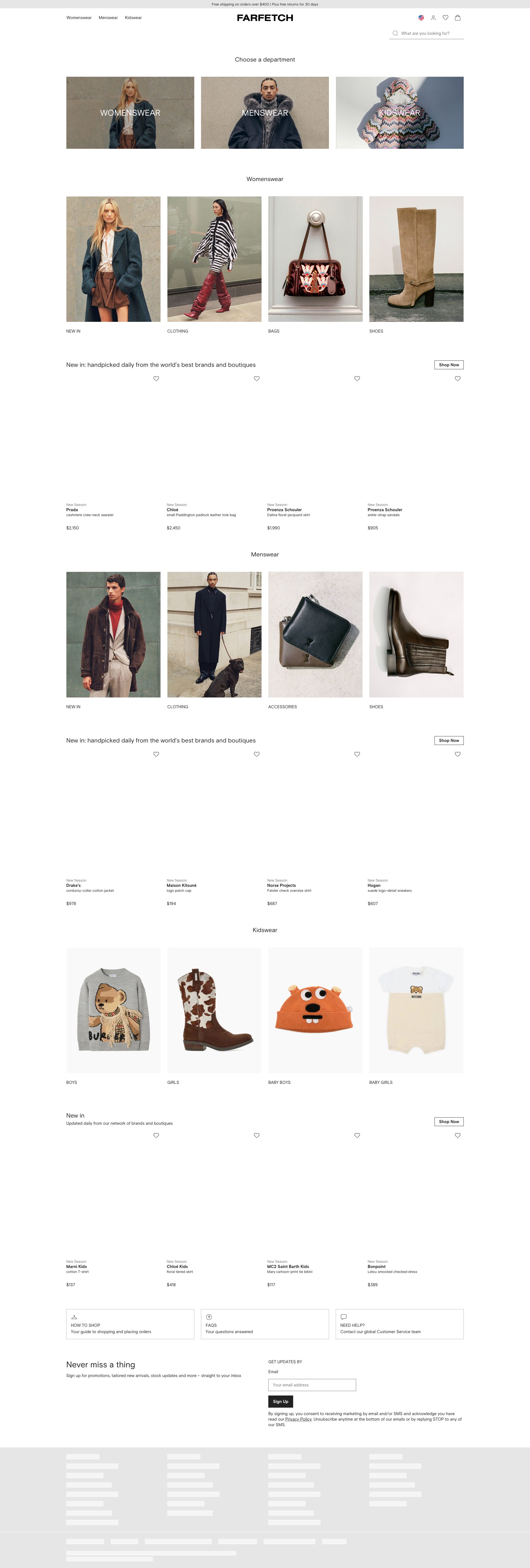
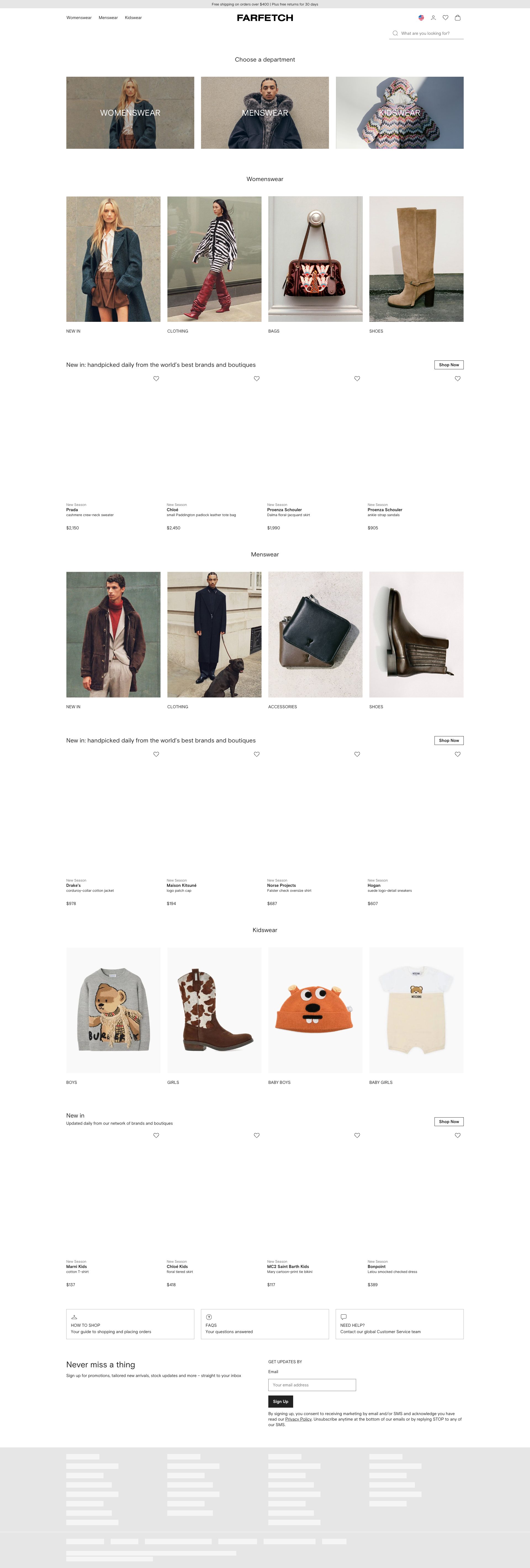
App Quality Report
Powered by Testers.AI
C+77%
Quality Score
7
Pages
152
Issues
7.5
Avg Confidence
7.6
Avg Priority
44 Critical72 High34 Medium2 Low
Testers.AI
>_ Testers.AI AI Analysis

Farfetch scored B (85%) with 152 issues across 6 tested pages, ranking #19 of 22 UK retail sites. That's 28 more than the 123.7 category average (14th percentile).

Top issues to fix immediately: "Product images not loading across multiple sections" โ€” Verify that product image URLs are correctly configured and assets are being served; "FedCM Invalid Mode Parameter - Authentication Breaking Error" โ€” Replace the 'widget' mode value with a valid IdentityCredentialRequestOptionsMode enum value; "FedCM Invalid Enum Value - Authentication Flow Broken" โ€” 1) Replace the invalid 'widget' mode with a valid FedCM IdentityCredentialRequestOptionsMode value such as 'popup' or....

Weakest area โ€” accessibility (6/10): Minimal alt text visible for images. Color contrast appears adequate but could be verified.

Quick wins: Add descriptive alt text to all product images for screen reader users. Increase visibility of search functionality and filtering options.
Qualitative Quality
Farfetch
Category Avg
Best in Category
Issue Count by Type
Content
33
A11y
32
UX
6
Legal
2
Pages Tested ยท 7 screenshots
Detected Issues ยท 152 total
1
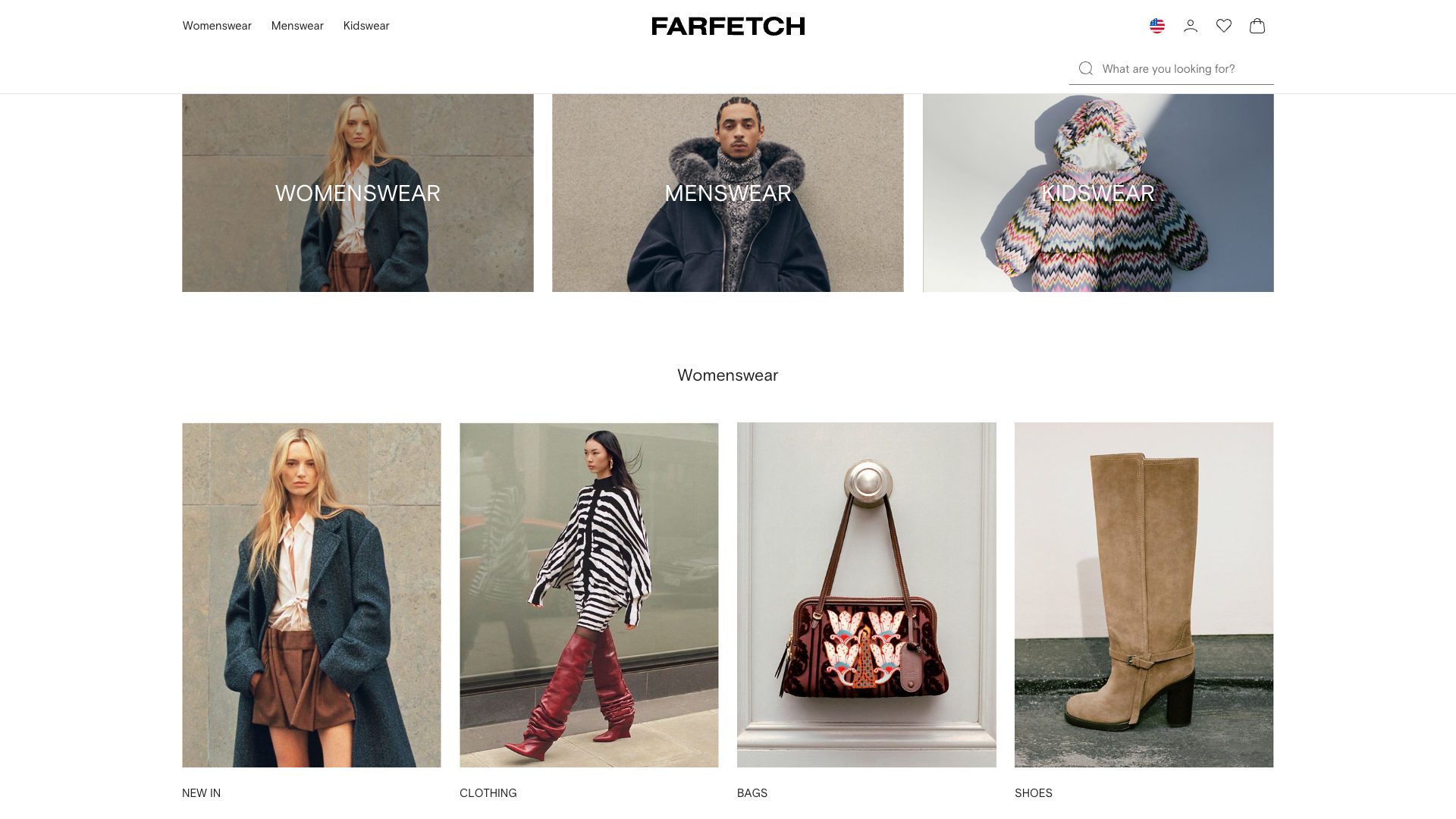
Product images not loading across multiple sections
CRIT P10
Conf 9/10 ContentUX
Prompt to Fix
The product image assets are failing to load across multiple grid sections (indicated by net::ERR_NAME_NOT_RESOLVED errors). Investigate and fix the image asset URLs to ensure they resolve correctly. Verify the image CDN or asset server is accessible, check for incorrect domain references in image paths, and confirm all image URLs in the product data are properly formatted and pointing to accessible resources.
Why it's a bug
The product grid sections show placeholder areas or broken image states instead of actual product images. This is a critical usability issue because users cannot see what products are being sold, making it impossible to browse, evaluate, or make purchase decisions. This directly prevents users from accomplishing their primary goal of viewing products.
Why it might not be a bug
This could be a temporary loading state, but the static screenshot shows no loading indicators and multiple sections are affected, suggesting a persistent rendering or asset loading failure rather than a transient state.
Suggested Fix
Verify that product image URLs are correctly configured and assets are being served. Check image loading logic and ensure fallback states display appropriately while images load. Add loading indicators if images take time to render.
Why Fix
Users cannot evaluate products without seeing images. This is a fundamental barrier to e-commerce functionality and would cause immediate abandonment of the shopping experience.
Route To
Frontend Engineer / Full Stack Engineer
Page
Tester
Mia ยท Usability Tester
Technical Evidence
Elements: <img> tags in product grid containers, product card elements
Console: [error] Failed to load resource: net::ERR_NAME_NOT_RESOLVED (multiple instances)
Network: Failed image asset requests - net::ERR_NAME_NOT_RESOLVED
Page Text: Product grid sections with clothing and accessories
2
FedCM Invalid Mode Parameter - Authentication Breaking Error
CRIT P10
Conf 9/10 Other
Prompt to Fix
Fix the FedCM authentication error: The application is passing mode: 'widget' to the CredentialRequestOptions, but 'widget' is not a valid enum value. Change the mode parameter to either 'auto' or 'conditional' in your FedCM initialization code. Find all calls to navigator.credentials.get() with identity options and ensure the mode property uses only valid IdentityCredentialRequestOptionsMode enum values.
Why it's a bug
The application is using an invalid 'widget' mode value for FedCM's CredentialRequestOptions. This causes a TypeError that prevents the FedCM get() method from executing. This is a critical authentication flow failure that will block users from logging in via Google One Tap.
Why it might not be a bug
None - this is a clear API contract violation with explicit error messaging.
Suggested Fix
Replace the 'widget' mode value with a valid IdentityCredentialRequestOptionsMode enum value. Valid values are typically 'auto' or 'conditional'. Update the FedCM initialization code to use: CredentialRequestOptions { identity: { mode: 'conditional' or 'auto' } } instead of mode: 'widget'.
Why Fix
This error completely breaks the authentication flow. Users cannot complete login, resulting in complete loss of access to the application. This is a blocking issue that prevents core functionality.
Route To
Frontend/Authentication Engineer
Page
Tester
Sharon ยท Security Tester
Technical Evidence
Console: [ERROR] [GSI_LOGGER]: FedCM get() rejects with TypeError: Failed to execute 'get' on 'CredentialsContainer': Failed to read the 'identity' property from 'CredentialRequestOptions': Failed to read the 'mode' property from 'IdentityCredentialRequestOptionsMode': The provided value 'widget' is not a valid enum value of type IdentityCredentialRequestOptionsMode.
Network: FedCM authentication request
3
FedCM Invalid Enum Value - Authentication Flow Broken
CRIT P10
Conf 9/10 Other
Prompt to Fix
Fix this FedCM authentication error: 'The provided value 'widget' is not a valid enum value of type IdentityCredentialRequestOptionsMode'. The code is attempting to request credentials with an invalid mode parameter. 1) Locate the CredentialsContainer.get() call in your authentication code 2) Change the 'mode' property from 'widget' to a valid value - use 'popup' for a popup-based flow or 'iframe' for iframe-based flow 3) Ensure the IdentityCredentialRequestOptions object conforms to FedCM API specifications 4) Reference: https://developers.google.com/identity/gsi/web/guides/fedcm-migration 5) Test that the login flow now works correctly
Why it's a bug
The error 'The provided value 'widget' is not a valid enum value of type IdentityCredentialRequestOptionsMode' indicates the application is using an invalid parameter value when calling FedCM's credentials API. This breaks the authentication flow completely and prevents users from logging in. The 'widget' mode is not a valid FedCM option.
Why it might not be a bug
This is a straightforward API misuse - the error message is clear about what is invalid.
Suggested Fix
1) Replace the invalid 'widget' mode with a valid FedCM IdentityCredentialRequestOptionsMode value such as 'popup' or 'iframe' 2) Review FedCM API documentation for valid mode options 3) Update all credential request calls to use compliant parameters 4) Test the authentication flow end-to-end
Why Fix
This is a blocking issue that prevents user authentication entirely. Without fixing this, users cannot log into the application.
Route To
Frontend Engineer / Authentication Engineer
Page
Tester
Sharon ยท Security Tester
Technical Evidence
Console: [ERROR] [GSI_LOGGER]: FedCM get() rejects with TypeError: Failed to execute 'get' on 'CredentialsContainer': Failed to read the 'identity' property from 'CredentialRequestOptions': Failed to read the 'mode' property from 'IdentityCredentialRequestOptions': The provided value 'widget' is not a valid enum value of type IdentityCredentialRequestOptionsMode.
Network: FedCM credentials API call with invalid parameters
+149
149 more issues detected  View all →
FedCM Authentication Implementation Error - Invalid Mode Par...
Multiple DNS Resolution Failures - Network Connectivity Issu...
FedCM Invalid Enum Value in Google Sign-In Integration
and 146 more...
Unlock All 152 Issues
You're viewing the top 3 issues for Farfetch.
Sign up at Testers.AI to access the full report with all 152 detected issues, detailed fixes, and continuous monitoring.
Sign Up at Testers.AI or let us run the tests for you