A team of specialist AI testing sub-agents. A manager to connect the evidence. Right inside your AI coding agent—or in CARBON Cloud.
Claude Code / CoworkCodexCursorAntigravityMCP
Modeled on Jason Arbon’s testing approach and experience, Jay helps turn your product’s risks into useful tests, clear findings, and verified next steps.
Jay · AI test manager: I’ll coordinate the specialists, explore the risky journeys, and gather evidence for you.
AIAIAIAIAISpecialist sub-agents
Your AI coding agent can also ask CARBON to test changes automatically, in real time.
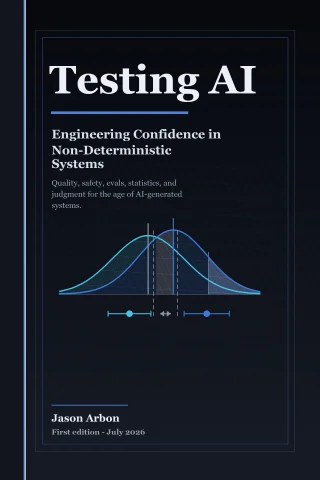
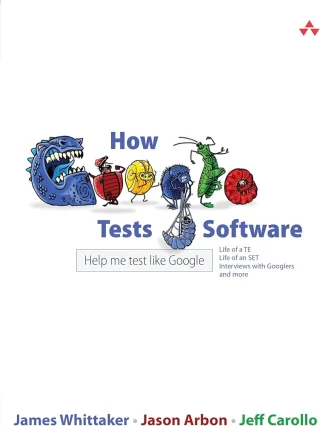
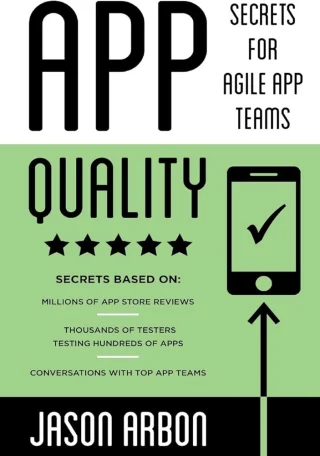
A bookshelf of testing knowledge.
Books by Jason Arbon · Testing AI is a work in progress
Jason’s QA experience · companies & products
GoogleMicrosoftChromeGoogle SearchBingApplause
Experience, not endorsement or proprietary company content.
START WHERE YOU BUILD
In your coding agent first. In the cloud when you need it.
TESTING EXPERIENCE. TURNED INTO A WORKFLOW.
A manager for your AI testing team.
Wide context. Focused questions.
Jay’s inspiration is Jason Arbon’s work across embedded systems, operating systems, search engines, enterprise servers, crowdsourced testing, and manual and automated testing at scale. CARBON brings curated methods and your project context together—not proprietary employer knowledge or a claim that Jay held those jobs.
Find it. Explain it. Verify the fix.
Jay coordinates security, privacy, accessibility and other specialist perspectives. When a high-priority fix is small, reversible and already authorized, he can hand it to your coding agent and check the result. Uncertain decisions and consequential changes stay with you.
What does “modeled on Jason” mean?
Jay is an AI persona represented by a distinctive J-shaped character—not a human portrait. He follows CARBON’s testing instructions and available context. The books in the animation describe the methods and human inspiration; they do not imply full-book model training, human review, or endorsement by Google, Microsoft or other employers.
Specialist AI QA sub-agents, right where you build. CARBON reads your code and existing tests, follows the risk, tests your app, and explains what’s ready—and what isn’t.
On Codex, start with CARBON Studio Lite for free, or choose CARBON Studio Pro for the native visual workspace and advanced testing. Claude Code and Cowork have their own CARBON packages.
In your coding agent · Your tools · You stay in control
Inside your AI coding agentIllustrative chat
You
/carbon
A preview of the CARBON workflow.
01Understand your code & coverageFind the gaps that matter.
02Explore. Test. Follow the evidence.Real interactions. Specialist perspectives.
03Explain your release confidenceKnow what to fix and test next.
Simulated example. No tests are running on this page.
/Browse commandsHide commands54
Start with /carbon, or focus on the area that matters to you. Add your feature, URL, or question after a command. Names and invocation syntax can vary by coding agent.
54 commands
Start here & keep testing
/carbonFree
Run the complete risk-based testing loop, from code and coverage to evidence and confidence.
/carbon-helpFree
Find the most useful testing workflow for your project.
/carbon-demoFree
Try CARBON on a fresh, disposable sample project.
/carbon-testFree
Focus testing on one feature, flow, page, or behavior.
/carbon-morePro
Run the next highest-value checks left from an earlier pass.
/carbon-autoPro
Run a bounded test, fix, and retest loop.
/carbon-foreverPro
Keep exploring and expanding coverage until stopped or limited; requires two confirmations.
/carbon-issuesFree
Hunt reproducible bugs through code inspection, stateful journeys, and persona exploration.
/carbon-browserPro
Exercise a real page or user journey in an approved browser.
Explore, plan & understand
/carbon-mapFree
Explore a visual product map of pages, widgets, journeys, risks, and test coverage.
/carbon-personasPro
Get goal-driven AI persona feedback on your product, document, or concept.
/carbon-confidencePro
Investigate consequential questions and reassess release confidence as evidence arrives.
/carbon-humanPro
Capture the human decisions and business context that testing cannot infer.
/carbon-full-reportPro
See the complete quality record, automation, findings, outcomes, and trends.
/carbon-statsPro
Review commands, tests, findings, and measured usage where available.
Focused quality checks
/carbon-accessibilityFree
Check accessible interactions and WCAG criteria; produce evidence-backed reports and draft ACRs.
/carbon-securityPro
Investigate security weaknesses, access boundaries, and unsafe behavior.
/carbon-privacyPro
Check personal-data exposure, storage, consent, retention, and deletion.
/carbon-functionalityPro
Verify that features behave as intended, including edge and failure cases.
/carbon-uiPro
Find visual, layout, and interface consistency problems.
/carbon-uxPro
Evaluate end-to-end experience, expectations, and journey friction.
/carbon-usabilityPro
Check whether people can understand and complete their tasks.
/carbon-performancePro
Investigate slow responses, rendering delays, and performance bottlenecks.
/carbon-reliabilityPro
Exercise error handling, recovery, and dependable behavior.
/carbon-compatibilityPro
Check behavior across relevant browsers, devices, and environments.
/carbon-contentPro
Review clarity, accuracy, consistency, and product messaging.
/carbon-dataPro
Check data integrity, transformations, persistence, and round trips.
/carbon-apiPro
Test API contracts, validation, permissions, and error responses.
/carbon-networkingPro
Investigate connection failures, retries, timeouts, and network behavior.
/carbon-localizationPro
Review translations and locale-specific behavior in product context.
/carbon-intlPro
Assess internationalization readiness, formats, text expansion, and locale support.
/carbon-agenticPro
Assess how easily an AI agent can understand and safely use your page or API.
/carbon-geoPro
Review discoverability, grounded content, and readiness for AI-search answers.
/carbon-statePro
Hunt lost, stale, or inconsistent state across tabs, sessions, and data round trips.
/carbon-loadPro
Assess load readiness and optionally run explicitly approved, bounded traffic tests.
/carbon-stressPro
Investigate stress and recovery limits; non-local execution requires two confirmations.
/carbon-failurePro
Inject failures into isolated copies to test error handling without changing originals.
Build tests & connect tools
/carbon-generatePro
Generate prioritized test candidates from code, pages, requirements, and evidence.
/carbon-testsPro
Create, import, organize, repair, and manage reusable tests.
/carbon-ai-upgradePro
Modernize existing tests with AI-assisted checks and workflows.
/carbon-chatbotPro
Build or extend a broad chatbot test suite and optionally exercise it.
/carbon-integrationsPro
Connect issue and test-management systems; external writes require explicit approval.
/carbon-settingsFree
Set project context, browser controls, credentials, and report preferences locally.
AI evaluations & release decisions
/carbon-confidence-initPro
Initialize a project’s confidence model, risk record, and evidence structure.
/carbon-confidence-planPro
Plan risk-based validation for an AI feature, model, prompt, or agent change.
/carbon-evalPro
Design and run evaluations for models, prompts, RAG, ranking, and agents.
/carbon-eval-design-reviewPro
Challenge whether an evaluation measures the right things with representative cases.
/carbon-reviewPro
Independently review AI-generated code, behavior changes, and supporting evidence.
/carbon-security-reviewPro
Review AI-specific threats such as prompt injection, leakage, and cross-tenant access.
/carbon-skeptical-reviewPro
Challenge assumptions, optimistic claims, and gaps in release evidence.
/carbon-statistical-reviewPro
Review evaluation statistics, uncertainty, sampling, and comparisons.
/carbon-releasePro
Recommend ship, canary, hold, or rollback based on evidence; humans retain release authority.
/carbon-release-reviewPro
Independently synthesize release risks, severe failures, and rollback readiness.
/carbon-incidentPro
Contain an AI incident, preserve traces, investigate causes, and add regression checks.
No matching commands. Try another topic or clear your search.
See current pricing and plan details. Questions before choosing? Email jason@testers.ai.
Codex Studio Lite is MIT open source. Claude Light uses PolyForm Perimeter for internal commercial use. Pro is commercially licensed. CARBON Cloud is a separate service.
CARBON Test Harness plans
Choose a plan for testing inside your AI coding agent. Compare the current prices and plan details below, then continue securely with Stripe.
Your coding agent’s model access and usage limits still apply. CARBON Cloud and CARBON Private Cloud are separate offerings, not included with these harness plans.
Fully autonomous, steerable web page testing and QA.
Give CARBON a URL. It explores your site, exercises real journeys, and brings back the bugs—with evidence. Set the direction. Let your AI QA sub-agents do the work.
Real cloud execution. The illustration beside it is a demo.
Share a URLSteer the testingReview the evidence
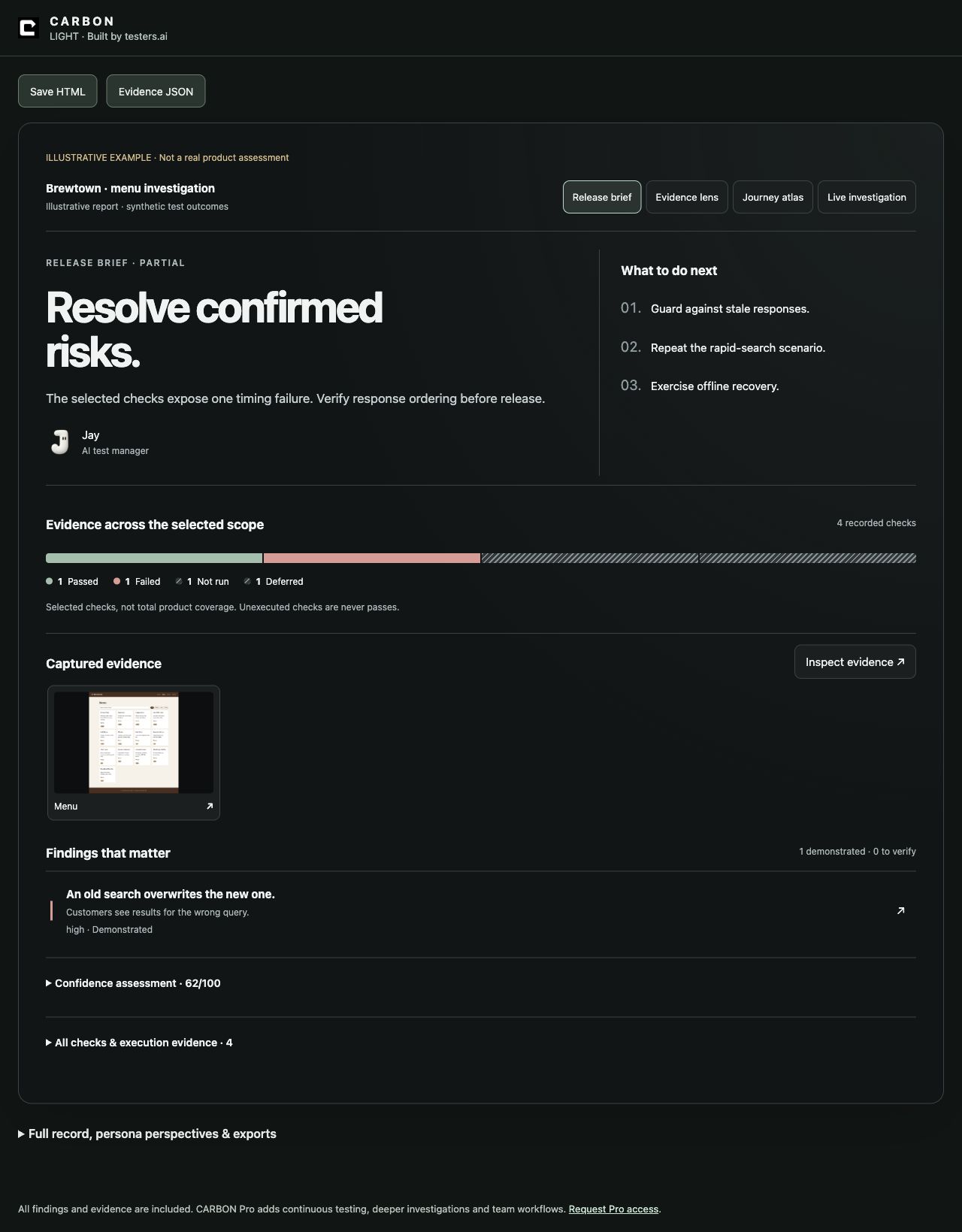
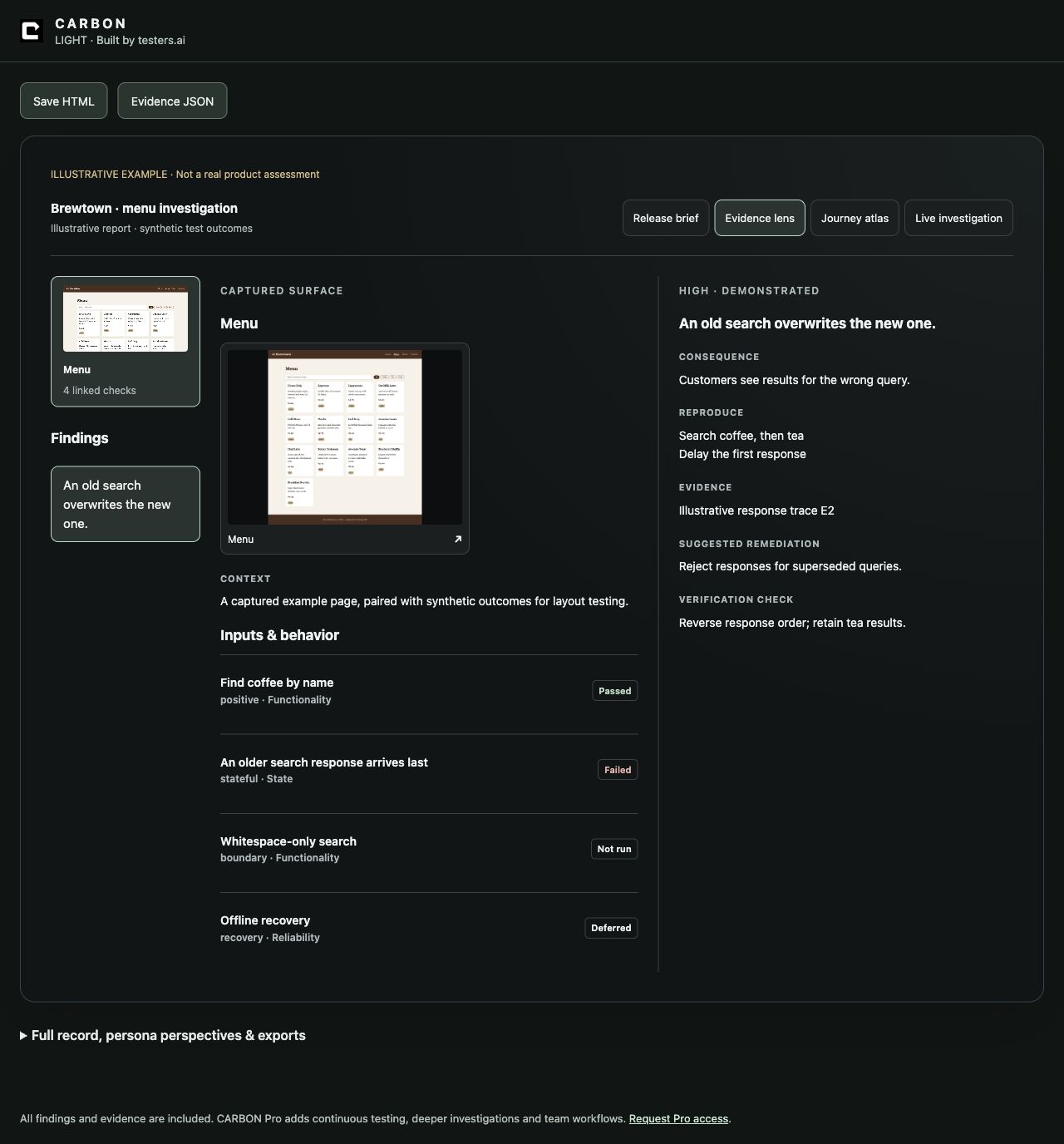
FROM TESTS TO ANSWERSCARBON report demos
Enlarge screenshot ↗See what matters.Prioritized risks, coverage, and what to do next.Enlarge screenshot ↗See why it matters.Screenshots, reproduction steps, and a check for the fix.
Illustrative demo · synthetic results, not a live assessment.
USD · The free sample runs right away. Paid plans are arranged with our team: execution allowance, supported checks, and spending cap are agreed before activation. No checkout or automatic billing here.
Want expert help?
Optional human services · separate from the software
USD · Deliverables, included effort, response expectations, and any additional costs are agreed before work begins. No unlimited consulting or automatic subscription.
A FEW THINGS WORTH KNOWING
Before your first run
What does a local run cost?
CARBON Light is free. It uses the coding agent you already have; your subscription limits or provider API charges still apply. Start with a focused request such as /carbon-test check the sign-in form; spend at most 5 minutes. Time and check budgets guide the agent—they are not a guaranteed billing cap. Set hard spending limits with your provider where supported.
Does local mean my code never leaves my machine?
No. Your coding agent may send authorized context to its model provider. CARBON keeps project evidence locally, but that is not an air-gap or zero-retention guarantee. Check your agent and provider settings before using sensitive code. Read the data-handling details.
How do I know a reported issue is real?
Look for the reproduction steps, observed behavior and supporting evidence. CARBON distinguishes suspected issues from reproduced failures and calls out checks it could not run. AI can make mistakes; review consequential findings and retest fixes rather than treating a score as certification.
Will it work with my existing tests?
CARBON can inspect existing tests and use the browser, terminal and API tools available in your coding agent. Light provides focused assessments; Pro adds advanced test engineering and ongoing workflows. Automated CI execution needs a configured runner and appropriate permissions—it is not installed by visiting this page. Explore Pro workflows.
Jay’s testing team. Cloud or local.
Meet your AI QA sub-agents.
Jay, your AI Test Manager Agent, uses the CARBON test harness to orchestrate his testing team—from risk analysis and test planning to execution, findings, and confidence scoring.
Informed by Jason Arbon’s testing approach and experience
GoogleSearch, Chrome, ChromeOS, and AI-driven Google Play app testing.
MicrosoftBing, Windows CE, enterprise servers, and Xbox Cloud Gaming.
ApplauseProduct and engineering leadership for crowdsourced testing at scale.
Epic GamesAI test automation for Fortnite monetization and customization flows.
test.ai & Testers.aiAutonomous testing and specialist AI testing agents.
This is Jason’s experience informing Jay’s methods—not a claim that Jay worked at these companies or was trained on their proprietary data. No company endorsement is implied. Explore Jason’s background ↗
Select a profile to see what each member of Jay’s testing team looks for.
AI perspectives, not human reviewers. Coverage depends on your target and the checks performed.
AI
AI QA sub-agent
AI generated code sub-agent
Deliberately hunts for the bugs AI-generated code can introduce and the gaps AI coding agents can overlook. Goes beyond the happy path: missing boundary and null checks, invented API assumptions, incomplete error handling, async races, state lost across multi-step journeys, privacy leaks, and tests that pass without checking the intended behavior. Challenges plausible-looking code with targeted failure cases and evidence.
What I look for
boundary and null cases
invented API assumptions
error and recovery paths
async races
multi step state loss
privacy leaks
weak test assertions
For example
Save a draft, sign out, then switch accounts. Does the previous user’s draft appear?
An AI QA sub-agent, not a human reviewer. Actual coverage depends on your target, access, and the checks performed.
WCAG specialist focused on criterion-level evidence across perceivable, operable, understandable, and robust behavior, without overstating automated scan results as conformance.
What I look for
accessibility
a11y
wcag
conformance
For example
Increase text size to 200%. Can you still read the price and reach the checkout button?
An AI QA sub-agent, not a human reviewer. Actual coverage depends on your target, access, and the checks performed.
Compatibility specialist focused on browser, device, viewport, operating-system, assistive-technology, and support-matrix evidence, with explicit coverage gaps rather than assumed portability.
What I look for
compatibility
cross browser
responsive
devices
assistive technology
For example
Open checkout on a narrow phone screen. Does the keyboard cover the payment action?
An AI QA sub-agent, not a human reviewer. Actual coverage depends on your target, access, and the checks performed.
Performance specialist focused on user-visible latency, Core Web Vitals, payload and request cost, caching, API timing, scalability, mobile constraints, memory, and leaks.
What I look for
performance
perf
web vitals
networking
reliability
For example
Filter a long product list on a slow connection. Does the interface stay responsive?
An AI QA sub-agent, not a human reviewer. Actual coverage depends on your target, access, and the checks performed.
Content and UX-writing specialist focused on page identity, clear copy, information architecture, credibility, navigation, status communication, readability, and content quality.
What I look for
content
copy
spelling
seo
ui
For example
Compare the offer headline with its checkout terms. Do they promise the same thing?
An AI QA sub-agent, not a human reviewer. Actual coverage depends on your target, access, and the checks performed.
Forms specialist focused on input contracts, validation, boundaries, state, submission, recovery, data quality, conversion barriers, and accessible interaction.
What I look for
forms
form
functionality
data
For example
Submit a form with whitespace-only required fields. Does validation explain what to fix?
An AI QA sub-agent, not a human reviewer. Actual coverage depends on your target, access, and the checks performed.
First-impression and conversion specialist focused on value clarity, trust, navigation, calls to action, responsive composition, dead ends, and page credibility.
What I look for
landing page
landing
ui
ux
For example
Follow the primary call to action. Does the next screen deliver what the headline promised?
An AI QA sub-agent, not a human reviewer. Actual coverage depends on your target, access, and the checks performed.
Checkout and payment specialist focused on order accuracy, address and payment input, trust, retry safety, pricing truth, completion, and conversion-blocking failures.
What I look for
checkout
ecommerce
payment
functionality
For example
Retry a checkout after a timeout in a test environment. Could the order be submitted twice?
An AI QA sub-agent, not a human reviewer. Actual coverage depends on your target, access, and the checks performed.
Pricing and subscription specialist focused on plan clarity, comparison, currency and locale, hidden conditions, billing cadence, conversion paths, and truthful claims.
What I look for
pricing
localization
For example
Switch between monthly and annual billing. Are the billing interval and total charge explicit?
An AI QA sub-agent, not a human reviewer. Actual coverage depends on your target, access, and the checks performed.

 Claude Code / Cowork
 Codex
Codex Cursor
 Antigravity
 MCP
MCP AI
AI
 AI
AI AI
AI AI
AI AI
AI AI
AI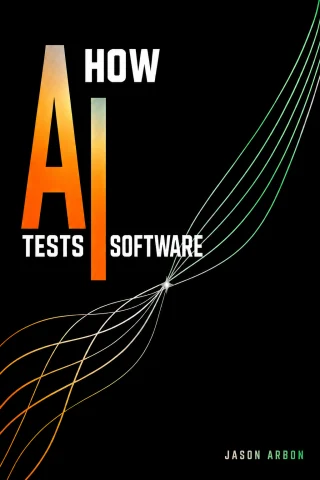
 Google
 Microsoft
 Chrome
 Bing
Bing Applause