
 AI
AI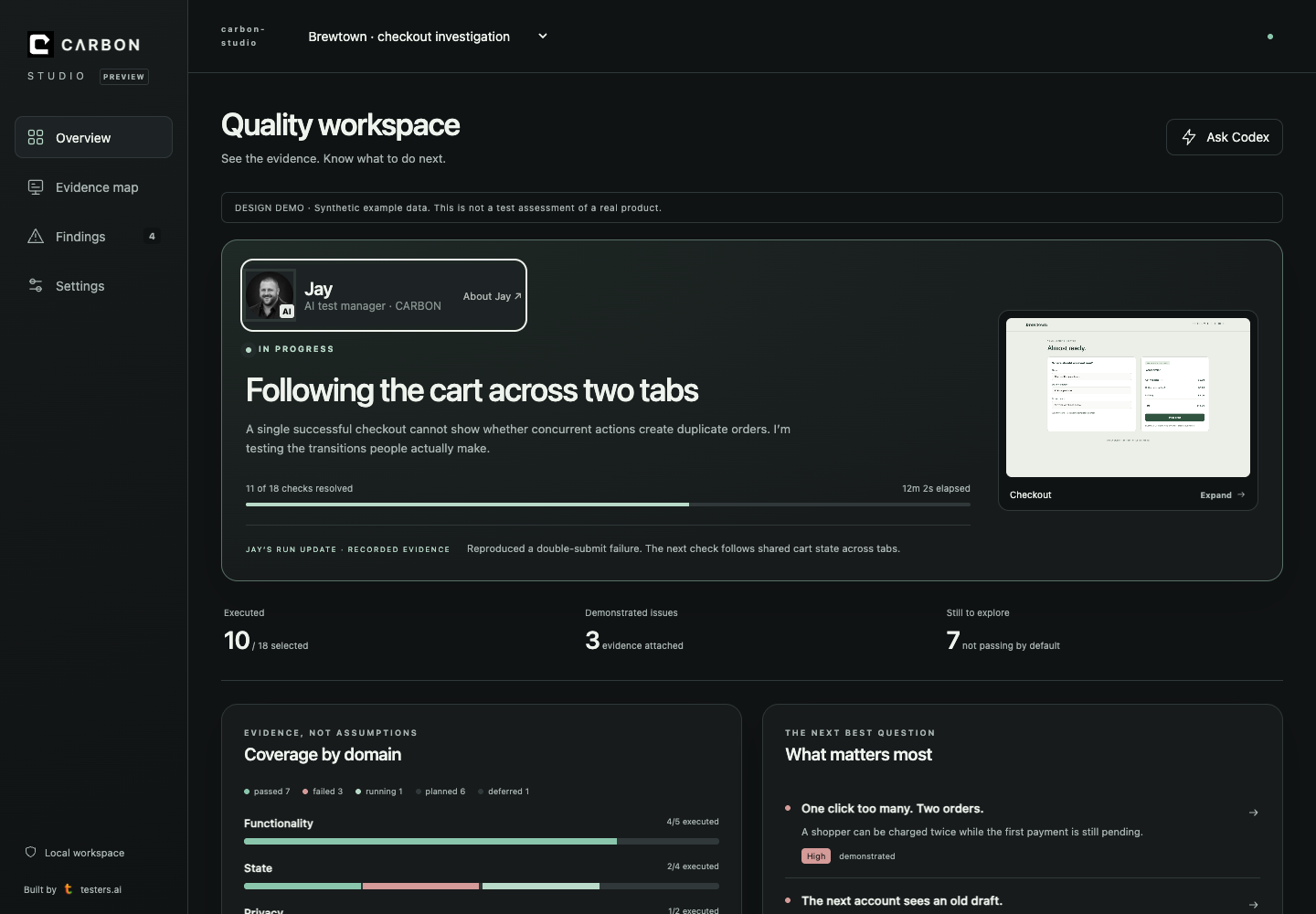
Meet Jay. Your AI Test Manager, Inside CARBON.
You can ask an AI coding agent to write a test. The harder part is deciding what needs testing, what the results mean, and what to do next.
That is a test-management problem. So we’re introducing Jay.
Jay lives inside CARBON, our AI test harness. He coordinates the specialist AI testing sub-agents, keeps the investigation focused on the risks that matter, and brings the results back to you in one useful conversation.
Not another dashboard to babysit. A test manager in the place where you’re already building.
Yes, he looks a little familiar
We modeled Jay on my approach and experience in testing. His distinctive J-shaped character represents the AI test manager—not me secretly reviewing your application.
My testing background runs from embedded systems and operating systems to enterprise servers, search engines, crowdsourced testing, and manual and automated testing at scale. Working across those environments taught me that the interesting bugs tend to live between the obvious checks.
The form saved. Did the other tab notice? The document was deleted. Did search forget it? The checkout passed. What happens when someone clicks twice while payment is still pending?
CARBON brings curated testing methods, repeatable workflows, and your project’s context together. The books shown in the product—including How Google Tests Software, App Quality, and How AI Tests Software—represent the background behind those methods. That is not a claim that Jay personally held my jobs, that every book is in the model’s training data, or that my former employers endorse the product.
One manager. Many specialist perspectives.
Jay starts with what you are trying to achieve. He looks at the available requirements, code, existing tests, recent changes, and evidence. Then he coordinates the relevant specialists: security, privacy, accessibility, performance, usability, AI-generated code, and other testing areas.
The point is not to collect the largest possible pile of test cases. It is to ask better questions about your product.
Which customer journey would hurt most if it broke? Which passing test is giving us false reassurance? Where do we need a real browser interaction rather than another code inspection? What would make us change our minds about shipping?
As the run progresses, Jay presents what CARBON is checking, why it matters, what just happened, and what remains unresolved. The specialist evidence stays visible. A suspected problem is not quietly promoted into a confirmed bug. An unrun test is not a pass.
He works with your coding agent
Jay lives in CARBON, inside your AI coding environment. Install
CARBON in a supported host such as Claude, Codex, or Cursor, and begin
with /carbon. CARBON Studio provides the visual workspace
for Codex; presentation and tool availability vary by host.
This is where the loop gets useful. Suppose CARBON reproduces a high-priority issue and the correction is small, reversible, and well understood. If you have already authorized changes, Jay can give the coding agent the reproduction, evidence, suggested fix, and verification check. The agent makes the change; CARBON checks the result.
That is how a good test manager works with a developer: make the problem clear, help it get resolved, and verify that the fix actually addressed the problem.
High priority is not permission, though. A request to test does not authorize source changes. Authentication, payments, personal data, destructive actions, deployments, and uncertain product decisions still need the appropriate human approval. If the fix has not been retested, Jay should say so.
The report should help you decide
Jay presents the summary, the important findings, and the next useful action. CARBON’s confidence assessment is an evidence-qualified judgment about the scope tested—not a mathematical probability that the entire product is correct, and not a certification.
You should be able to see what supports that judgment, what is missing, and which unanswered human question could change it.
The same manager identity carries across the local harness, Studio, and CARBON’s cloud report surfaces. These are different execution environments, not identical capabilities. A cloud report does not, by itself, grant access to your local source code or permission to repair it. Your coding agent and model-provider data policies still apply; “local” does not automatically mean air-gapped.
Give Jay something worth investigating
Start with a journey you care about:
/carbon Check our sign-in and recovery journey. Focus on what happens after a failed attempt, a reload, and an account switch. Test only; don’t change the application yet.
Then use the findings to decide what to fix and verify next.
Install CARBON at testers.ai/carbon. CARBON Light is free; your coding-agent subscription limits or model API charges still apply. Available commands and advanced workflows depend on the edition and host.
Jay does not remove the need for judgment. He gives you a more organized, evidence-driven way to apply it.
— Jason Arbon, Testers.ai