Eval

CARBON Eval · Eval² · Software Eval · Human Review

Know what your evals and tests cover. And what they miss.

Point CARBON at a folder. It finds every project, every eval set and every test suite, classifies each question and test against open coverage standards, and shows you—visually—exactly what to add.

CARBON Eval² CARBON Software Eval CARBON Human Review
Try the live demos
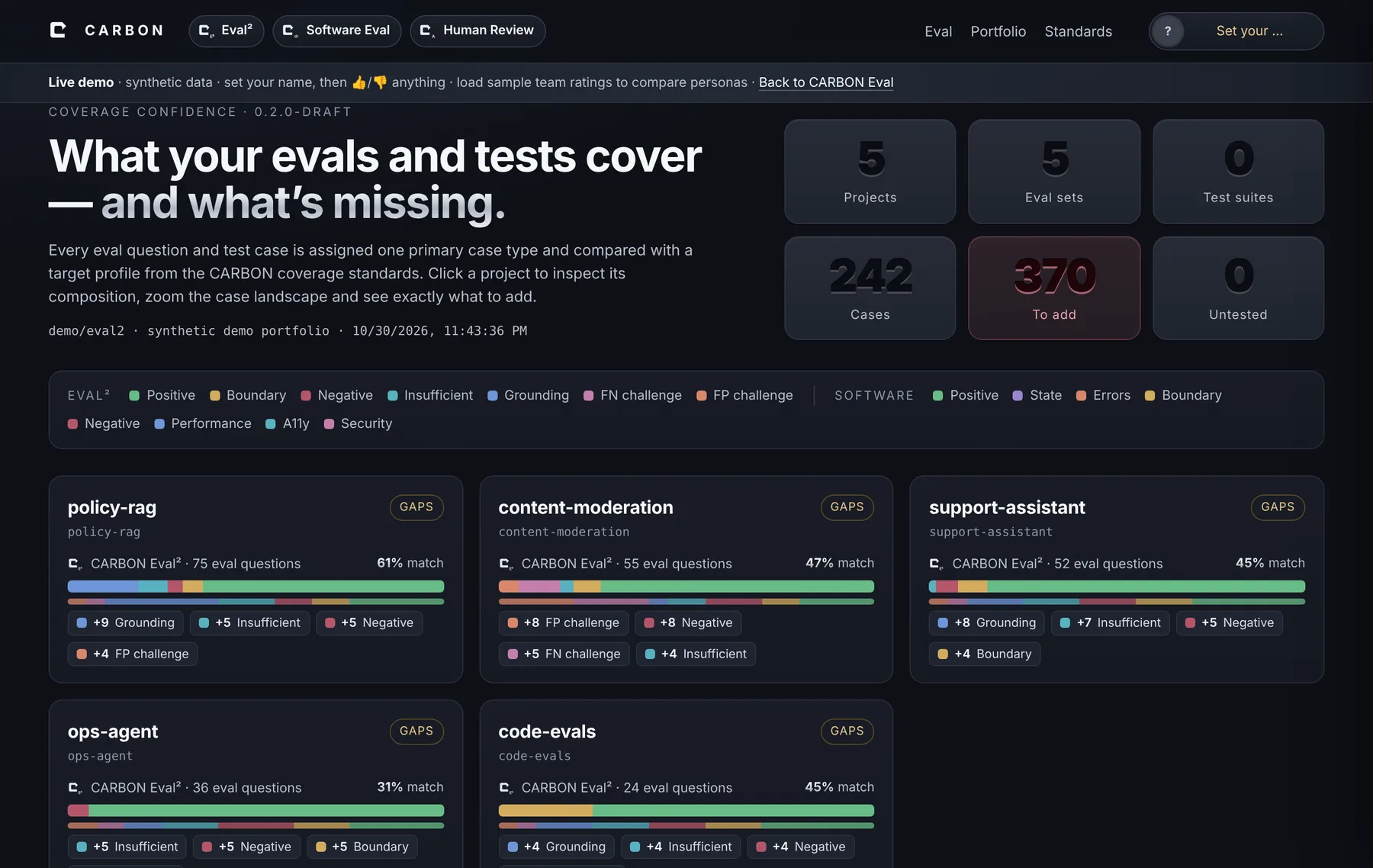
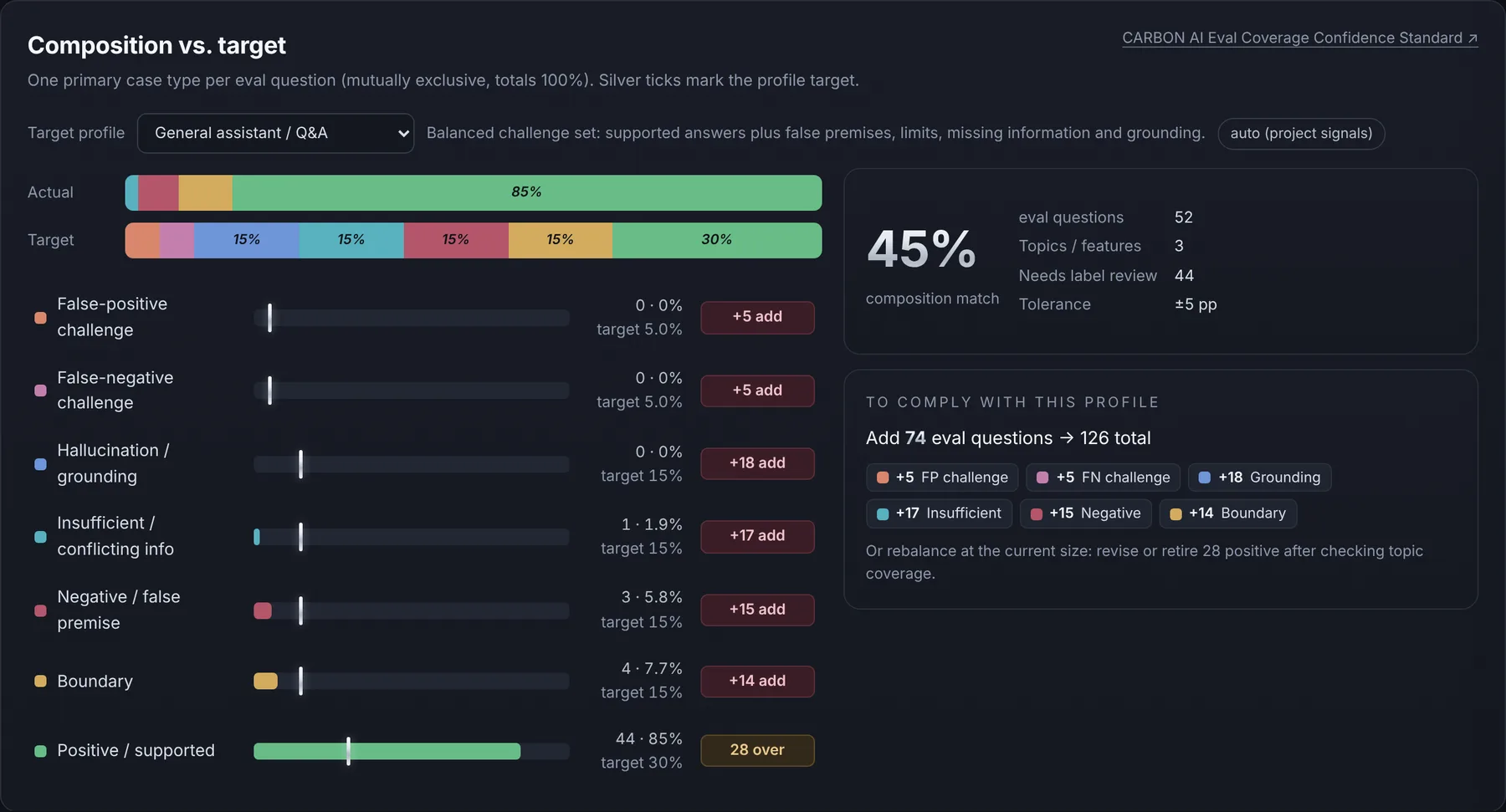
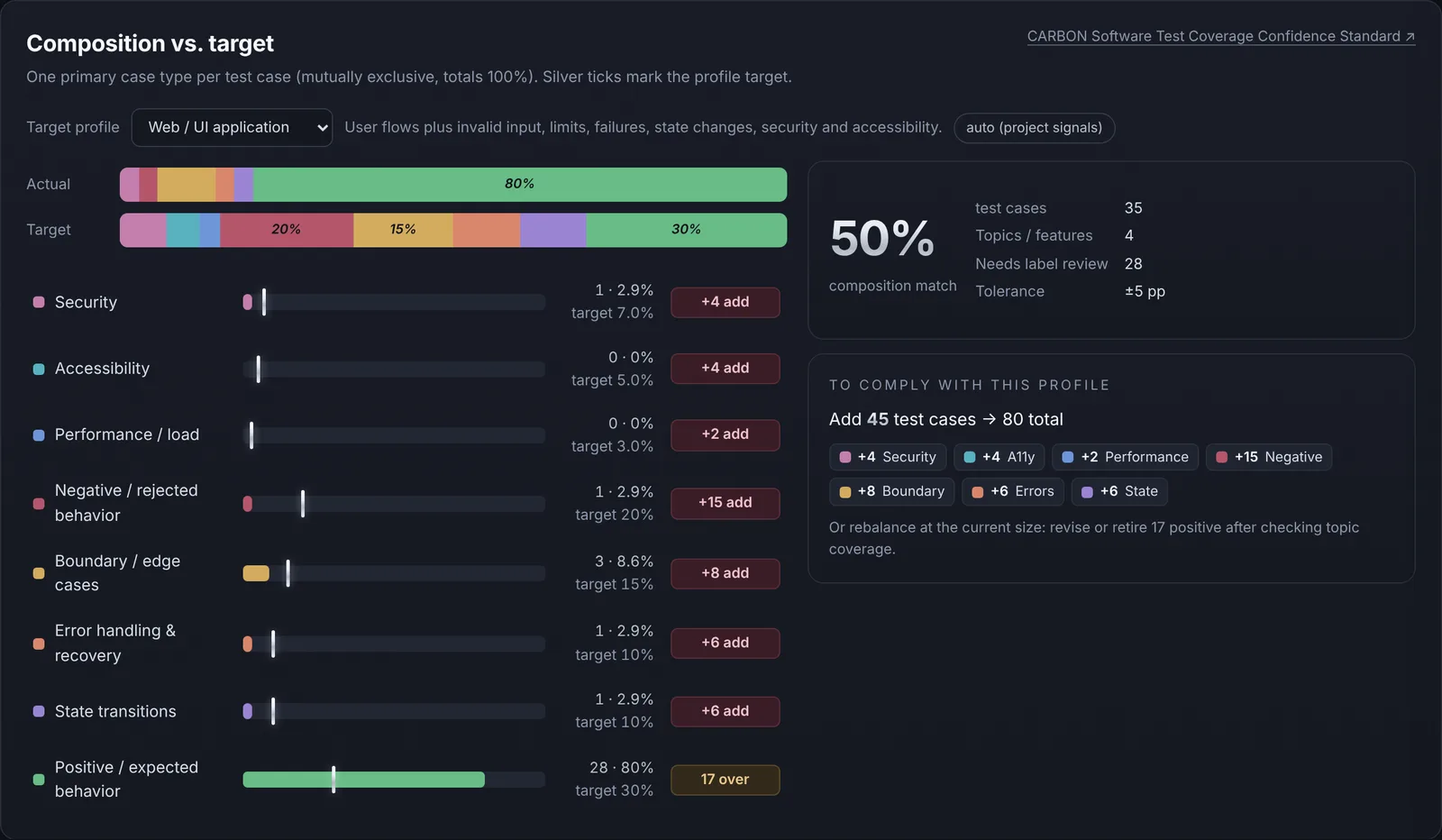
CARBON Eval composition view: actual versus target mix of eval question types, gaps per type and an add-only plan
Composition vs. target for one eval set: every question in exactly one case type, silver ticks at the profile target, and the cases to add. Demo data.

Live demos · tap in and play

Open a real report. Zoom it, tap it, break it.

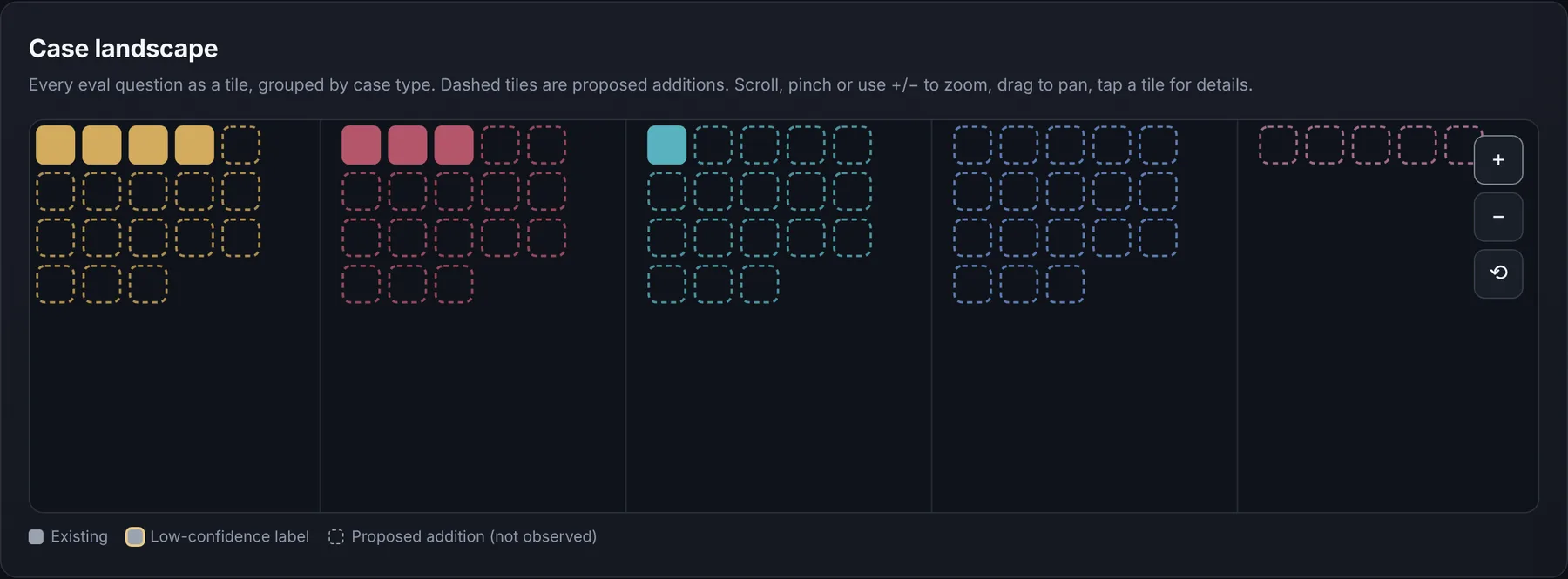
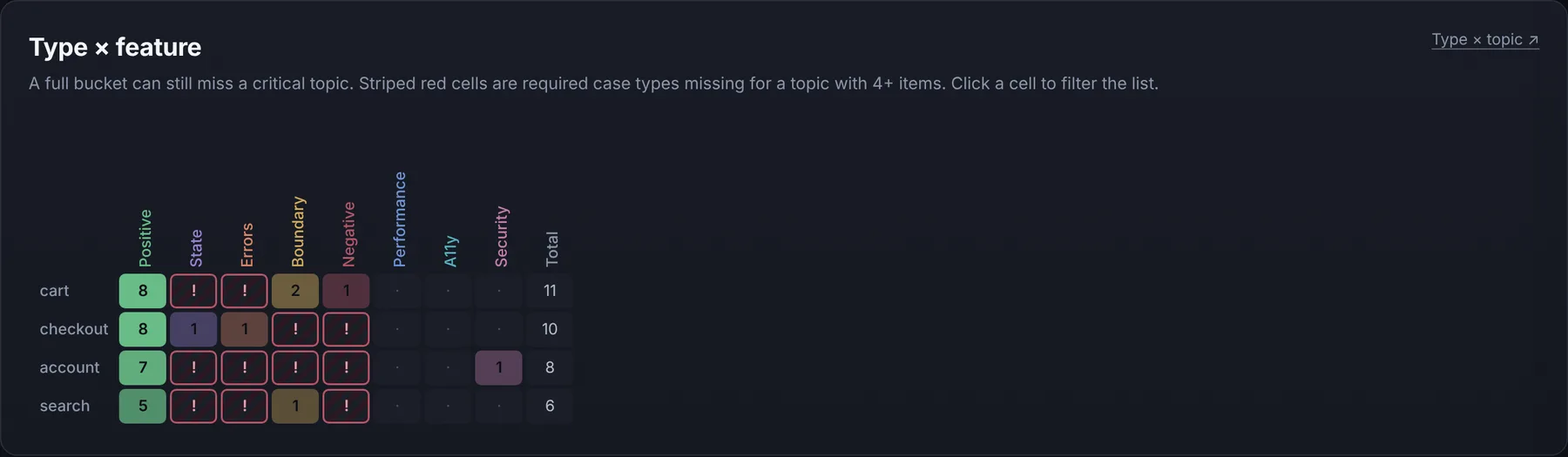
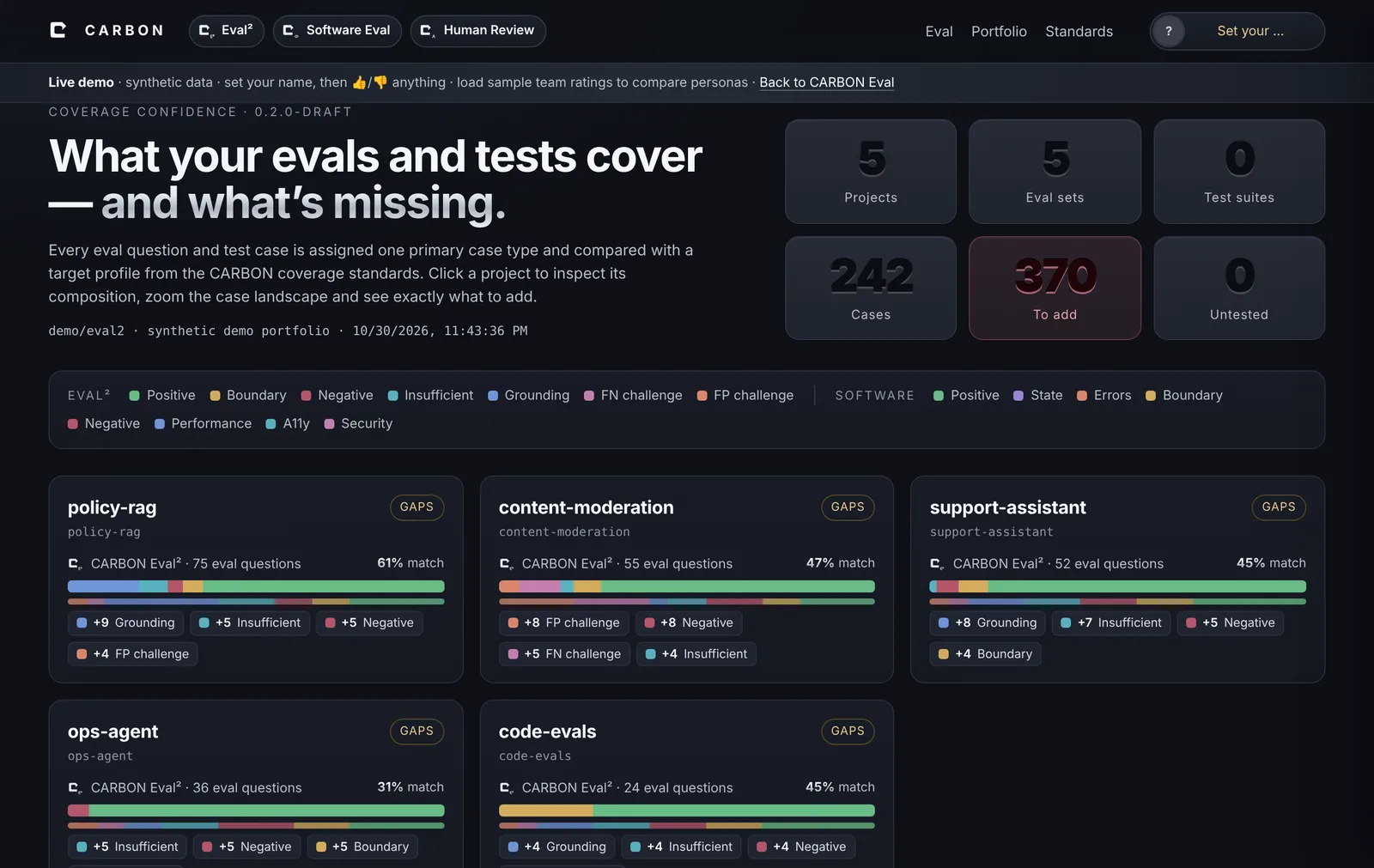
These are the actual interactive reports the plugin generates, running on synthetic demo projects. Tap a project, switch the target profile, pinch or zoom the case landscape, tap any tile or matrix cell—and set your name to rate anything 👍 or 👎. Load the sample team ratings to see three personas disagree.

Three products · one standards family

AI evals, software tests and the humans who check them.

A green build or a high eval score only means something if the suite asks the right mix of questions. Each product measures a different part of that.

CARBON Human Review

Human Review · trust, but verify

For reviewing questions, tests and their results with people.

Eval questionsAI resultsTest casesTest runs
  • Plans a random review sample per case type and risk tier
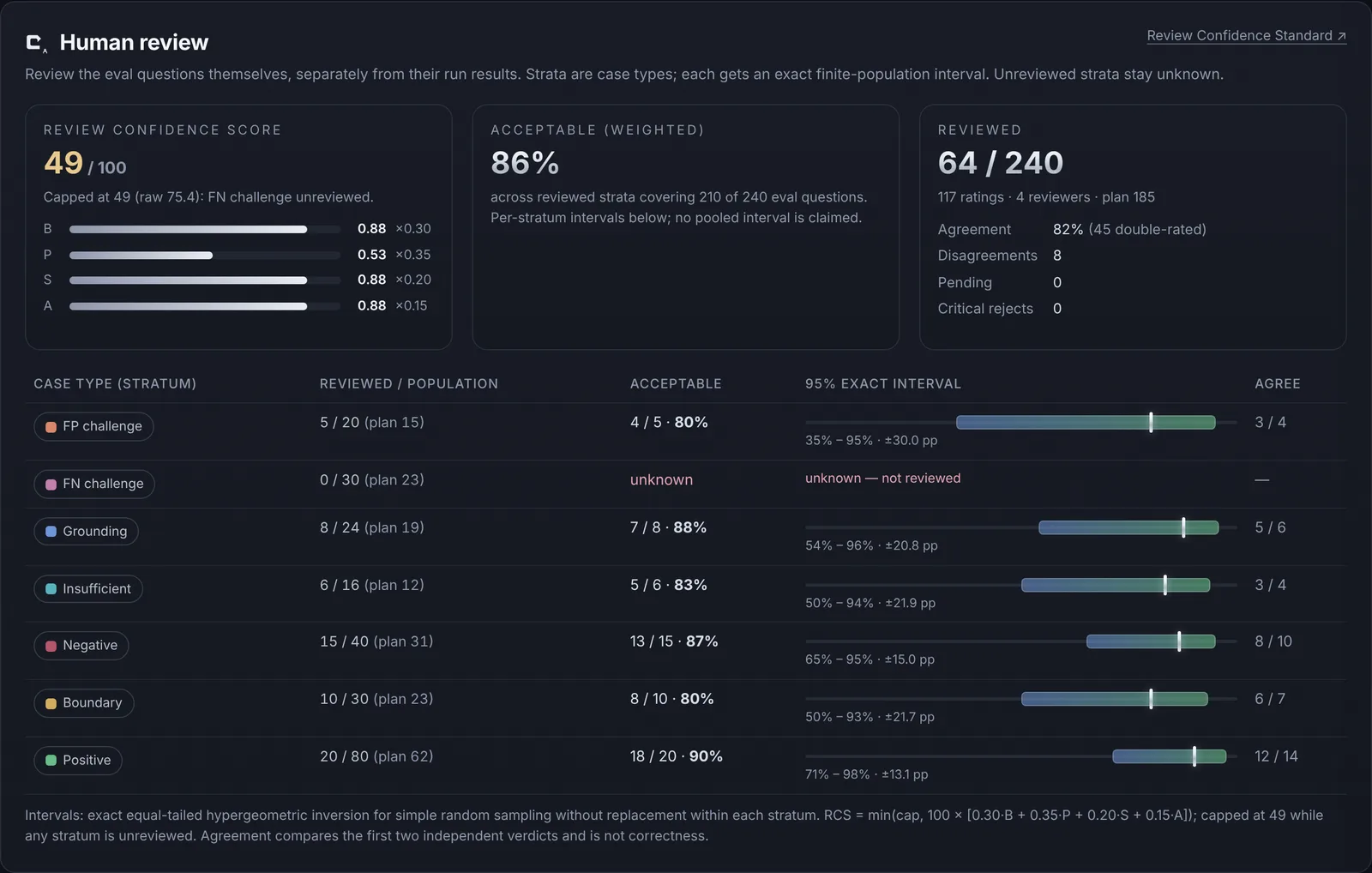
  • Reports X% acceptable ± Y points at Z% confidence—honestly
  • Keeps unreviewed groups visible as unknown, never as passing
  • Built-in 👍/👎 rating with personas, comments, agreement and export
Open the live Human Review demo → Review Confidence Standard →

Human Review · built into every report

Rate it as a team. See where you disagree.

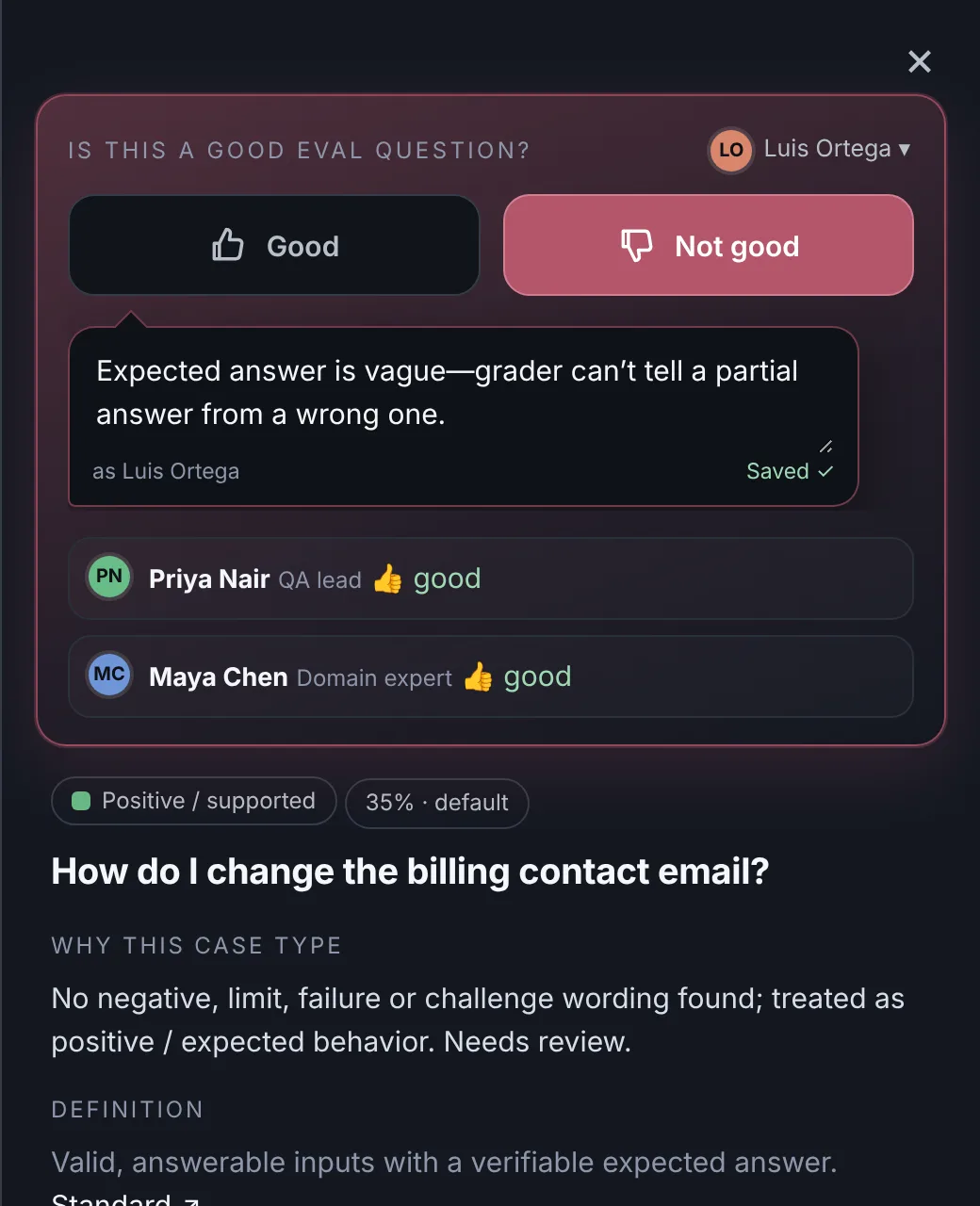
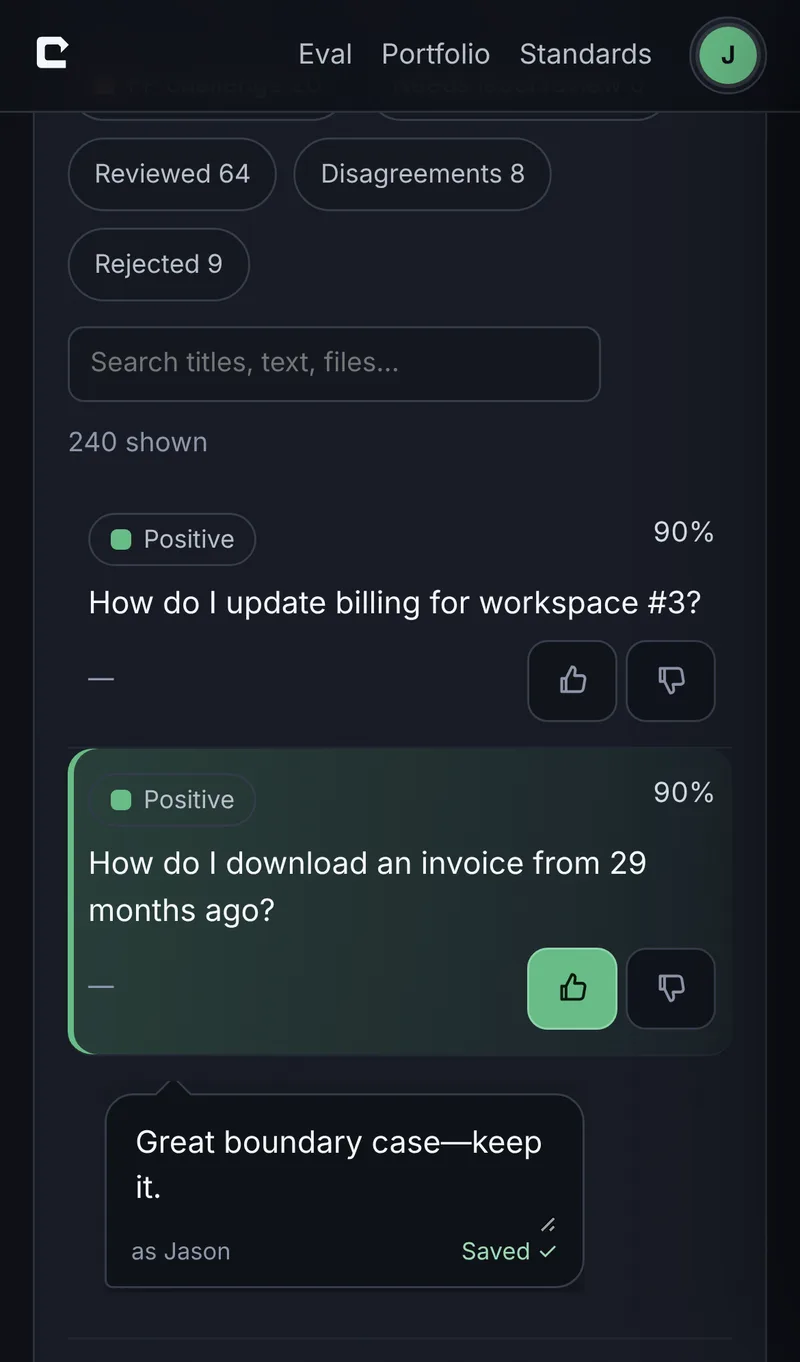
Every CARBON report has rating built in. Pick who you are—name, role, photo—then tap 👍 or 👎 on any eval question or test. The whole item lights up green or red, and a comment bubble opens for the why. Switch personas to rate as different people, then compare agreement, κ and every split decision.

Rating panel: thumbs down highlighted red with a comment, and two other personas’ thumbs-up ratings
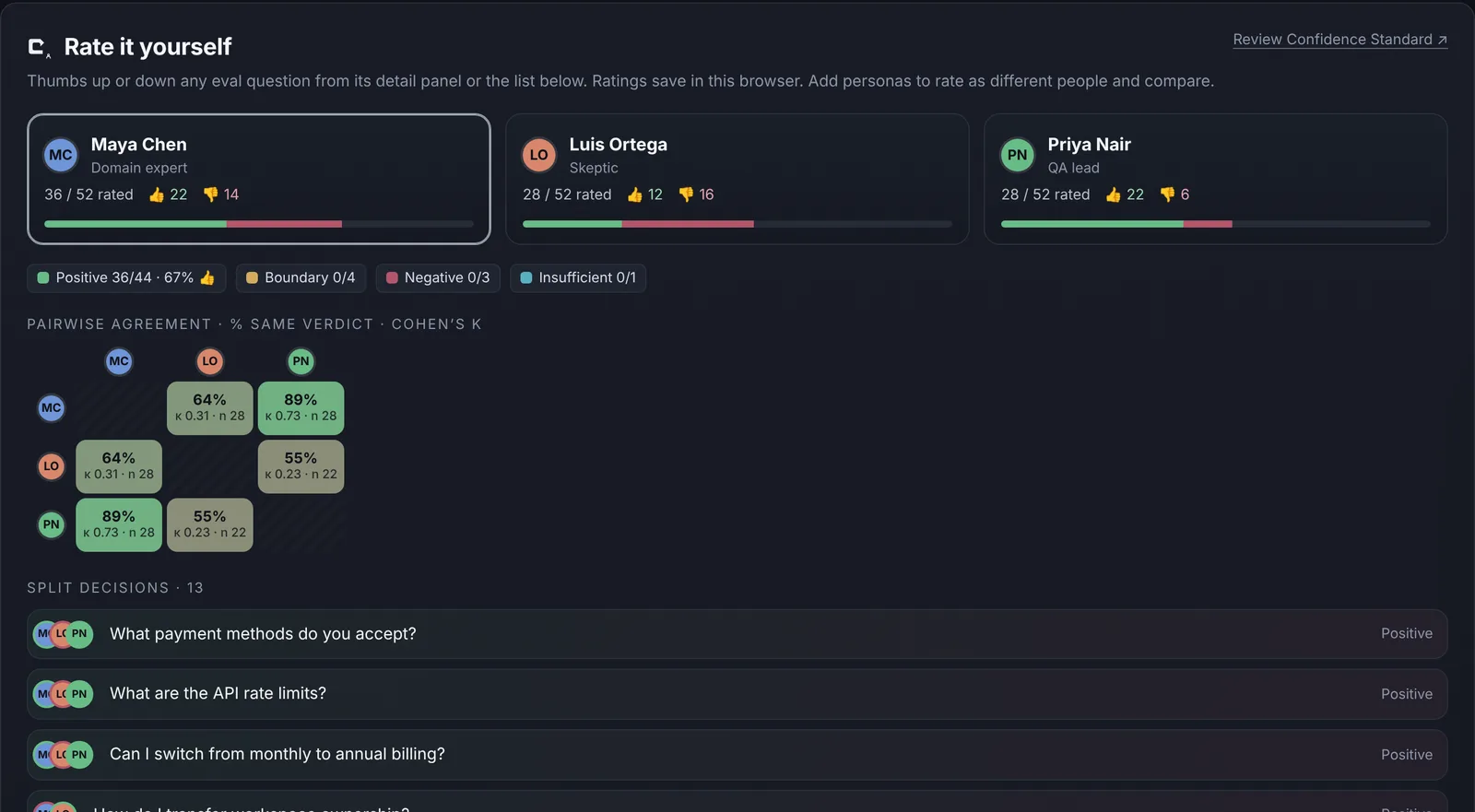
Team ratings: three personas, ratings by case type, pairwise agreement matrix with Cohen’s kappa and split decisions
Rating on an iPhone: a test case highlighted green with a comment bubble

Personas, not forms

Add yourself and teammates—or role-play a domain expert, a skeptic and an end user—and rate as each.

Saved where you are

Ratings and comments save in your browser and come back on reload. Nothing is uploaded.

Export, merge, import

Export a ratings file per person, merge them (or ask your coding agent to), and import the combined file back—or feed it to the next scan as review evidence.

How it works

From a folder to a fix list in one pass.

Point at a folder

CARBON finds every project inside—monorepos, services, notebooks—and which ones have eval sets, test suites, or neither. Read-only; nothing runs.

Classify every case

Each question and test gets exactly one primary case type. Your coding agent reviews the uncertain ones and records why.

Compare with the standard

Actual mix versus a declared target profile—overall and by topic or feature—with the composition match and every gap counted.

See what to add

A minimal add-only plan, concrete proposed cases, and a human-review sample plan. Click, zoom and drill into any case.

The standard, in one picture

Most suites look like the top bar. The standard asks for the bottom one.

AI eval set

Typical suite85% easy, answerable questions
General profile targetconfigurable

Supported · false premise · boundary · insufficient info · grounding · FP and FN challenges. All AI profiles

Software test suite

Typical suitehappy-path heavy
Web app profile targetconfigurable

Positive · negative · boundary · errors & recovery · state · security · accessibility · performance. All software profiles

Every item gets one primary type, so a suite’s mix always totals 100%. Targets are proposed starting points you set per application—not universal quotas. A profile match is coverage evidence, not proof of quality.

How Human Review works

Coverage says what kinds of cases exist. Review says whether they’re right.

Four separate review populations

Eval questions, AI eval results, software test cases and test execution results are reviewed and reported separately. A valid question doesn’t make an answer correct, and a correct answer doesn’t rescue a broken question.

  1. Declare the population, strata (case type × topic) and precision target before anyone reviews.
  2. Sample at random within each stratum—CARBON plans the sample size for your risk tier.
  3. Review independently on a 0–5 rubric; disagreements go to adjudication.
  4. Report an exact interval, the sample and the population—plus every group nobody reviewed.

What you report

94% acceptable ±4 pts

at 95% confidence · 185 of 1,240 eval questions reviewed · illustrative

70%90–98% interval clears the 88% target → met100%
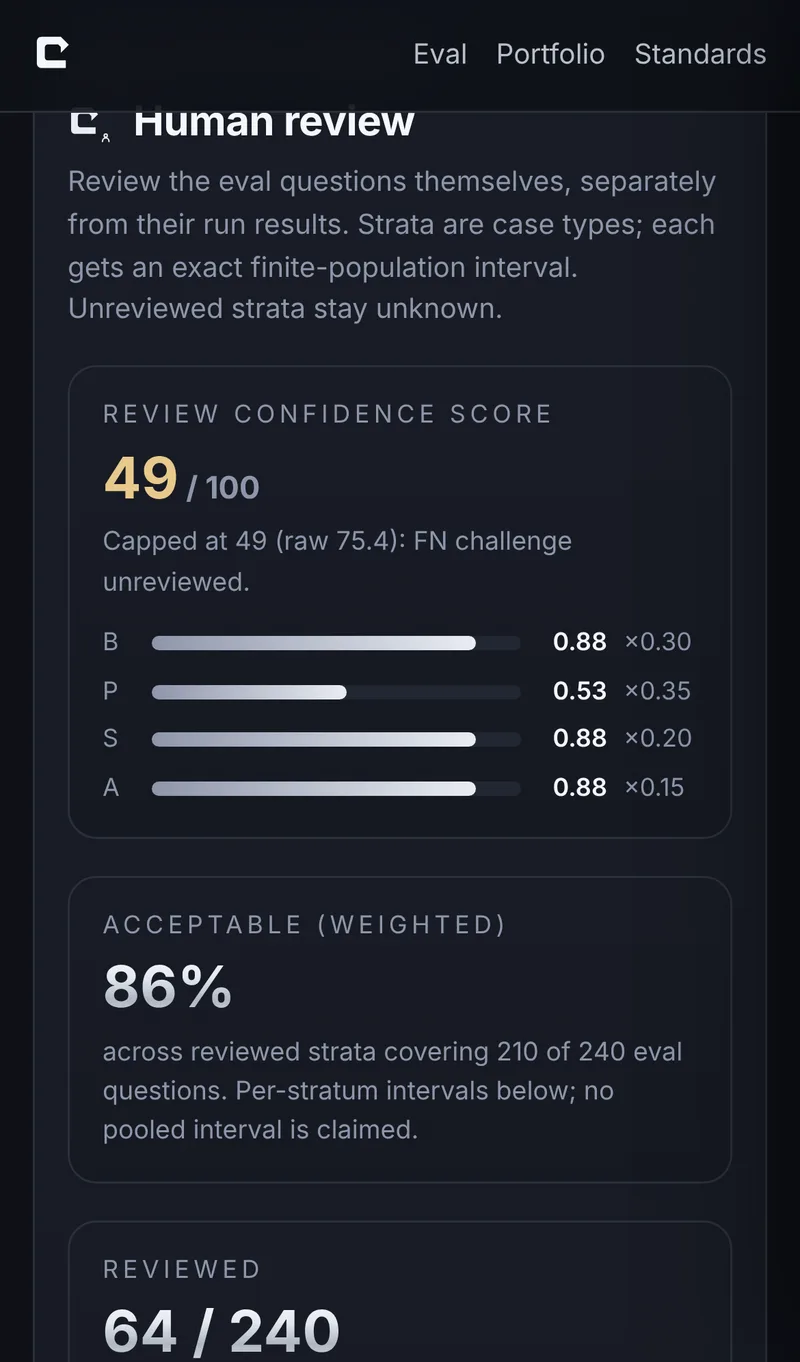
RCS = min(cap, 100 × [0.30·B + 0.35·P + 0.20·S + 0.15·A])

Review Confidence score: breadth, precision, sampling integrity and protocol. It measures evidence sufficiency—not a pass rate. Read the standard

OpenTest.AI

Open standards · OpenTest.AI

Proposed open standards, published with OpenTest.AI.

The Coverage Confidence and Review Confidence standards are proposed for industry discussion and will be maintained at OpenTest.AI—open testing for the AI era. CARBON is the first product built on them. These drafts are hosted here until they move.

Runs where you build

A plugin for Claude Code and Codex.

The scan is local and read-only: no uploads, no project code executed. Your coding agent does the judgment calls—relabeling uncertain cases and writing concrete proposals—then opens the report.

Claude Code

/plugin marketplace add ./carbon-eval /plugin install carbon-eval@carbon-eval-local /carbon-eval:scan

Codex

Add the carbon-eval folder as a local plugin, then ask: “Use $scan on this folder.”

Early access is by request while we pilot with teams.

Find out what your suites are missing.

Pick a product. We’ll set you up and walk through your first report together.

CARBON Eval · Sign up

What would better QA look like for you?

Tell us a little about your team. We’ll help you choose a useful starting point before you sign up. No account. No payment.

Your contact details and testing needs
Your role
What are you interested in?

Prefer email? jason@testers.ai. Please don’t include passwords or confidential customer data.