Uncorkcapital
App Quality Report
Powered by Testers.AI
A-91%
Quality Score
11
Pages
13
Issues
7.8
Avg Confidence
7.2
Avg Priority
2 Critical6 High5 Medium
Testers.AI
>_ Testers.AI AI Analysis

Uncork Capital scored A- (91%) with 13 issues, ranking #9 of 47 VC sites. That's 10 fewer than the 22.7 category average (83rd percentile).

Top issues to fix immediately: "Extremely Low Contrast Text - Critical Accessibility Issue" โ€” Increase text color brightness significantly - ensure all text meets WCAG AA standards (minimum 4; "Blue error banner with unreadable white text on blue background" โ€” Change the banner text color to a darker color (black or dark gray) or change the banner background to a darker blue/...; "Text readability issue - Red text on dark background with low contrast" โ€” Either change the red text color to a lighter shade (e.

Weakest area โ€” usability (6/10): Navigation is limited with only a hamburger menu visible.

Quick wins: Add clear navigation menu with links to portfolio, team, blog/insights, and contact pages. Include fund information such as focus areas, check sizes, and stage preferences above the fold.

Qualitative Quality
Uncorkcapital
Category Avg
Best in Category
Issue Count by Type
UX
12
A11y
11
Visual
4
Content
4
Pages Tested ยท 11 screenshots
Detected Issues ยท 13 total
1
Extremely Low Contrast Text - Critical Accessibility Issue
CRIT P10
Conf 9/10 A11yUX
Prompt to Fix
The issue is that text contrast is far too low to read, making the entire interface inaccessible. Fix it by increasing text color brightness to meet WCAG AA contrast standards of at least 4.5:1 ratio, using brighter colors like white (#FFFFFF) on dark backgrounds.
Why it's a bug
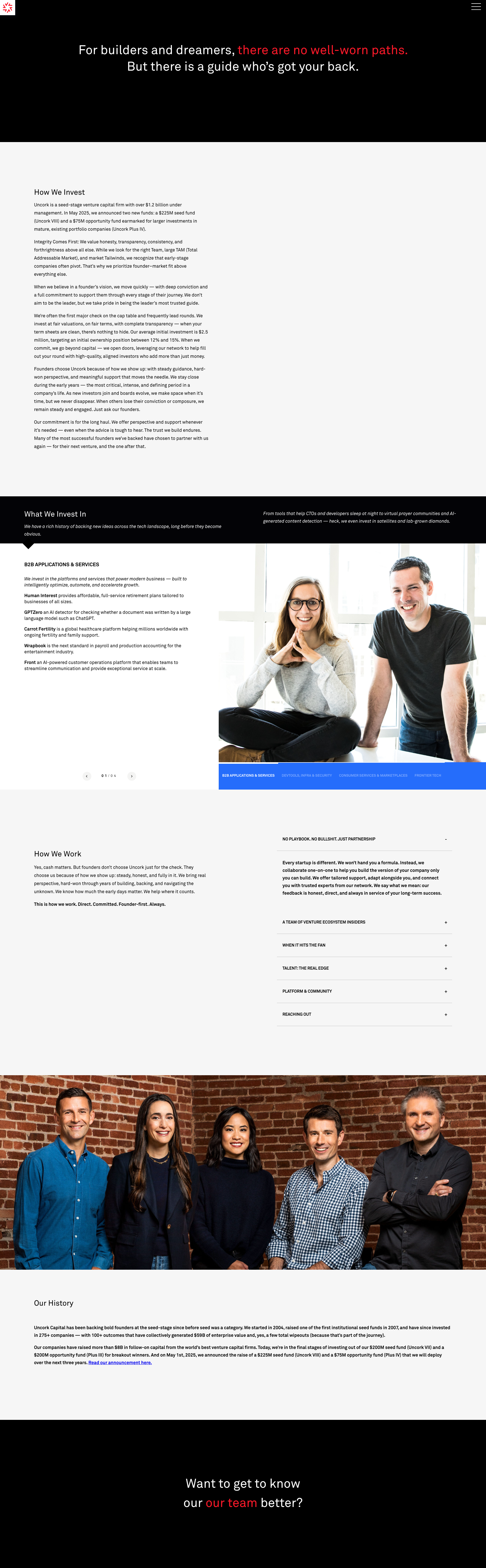
The entire interface displays text that is nearly invisible against the dark background. Text appears as very faint white or light gray against dark blue/black backgrounds throughout the entire page. This violates WCAG 2.1 Level AA contrast requirements (minimum 4.5:1 for normal text) and makes the interface essentially unreadable for most users.
Why it might not be a bug
This could potentially be intentional dark mode styling, however the contrast is so poor that it fails basic accessibility standards and renders the UI non-functional for readability purposes.
Suggested Fix
Increase text color brightness significantly - ensure all text meets WCAG AA standards (minimum 4.5:1 contrast ratio). Use white or very light colors (#FFFFFF or #F0F0F0) for text on dark backgrounds, or adjust background colors to be lighter.
Why Fix
Users cannot read the interface content. This is a critical accessibility violation that excludes users with low vision and makes the product unusable for anyone. It violates legal accessibility requirements.
Route To
Frontend/UI Engineer, Accessibility Specialist
Page
Tester
Sharon ยท Security Tester
Technical Evidence
Elements: All text elements, headings, buttons, labels throughout the page
Console: No console errors visible, but accessibility audit would flag contrast violations
Page Text: All text content is present but illegible due to poor contrast
2
Blue error banner with unreadable white text on blue background
CRIT P9
Conf 9/10 A11yUX
Prompt to Fix
The issue is that the blue error banner has white text on a blue background creating poor contrast and violating WCAG accessibility standards. Fix it by changing the text color to black or dark gray, or by changing the banner background to a darker shade that provides at least 4.5:1 contrast ratio with white text.
Why it's a bug
The top of the page displays a blue banner with white text that has extremely poor contrast. The text appears to say 'SSL error on login page. May contain expired certificate. Need to be investigated during next build.' This violates WCAG 2.1 AA standards which require a minimum contrast ratio of 4.5:1 for normal text. The blue-on-blue color scheme makes the text nearly illegible.
Why it might not be a bug
If this is intentionally a warning that should be hidden, it may be a design choice, but the contrast issue remains a accessibility violation regardless of intent.
Suggested Fix
Change the banner text color to a darker color (black or dark gray) or change the banner background to a darker blue/navy. Ensure contrast ratio meets WCAG AA standards (minimum 4.5:1).
Why Fix
Accessibility compliance is critical for user experience. Users with low vision or color blindness cannot read the error message, defeating its purpose.
Route To
Frontend/UI Engineer, Accessibility Specialist
Page
Tester
Sharon ยท Security Tester
Technical Evidence
Elements: <div class='banner' style='background-color: blue; color: white;'> or similar banner element
Console: SSL error on login page. May contain expired certificate.
Network: SSL/Certificate validation error
Page Text: SSL error on login page. May contain expired certificate. Need to be investigated during next build.
3
Text readability issue - Red text on dark background with low contrast
HIGH P8
Conf 8/10 A11yUX
Prompt to Fix
The issue is red text on dark background lacks sufficient contrast for accessibility compliance. Fix it by changing the red text color to a lighter shade with at least 4.5:1 contrast ratio against the dark background, or adjusting the background color to ensure WCAG AA compliance.
Why it's a bug
The header text contains red colored text ('are red-ants') on a dark/black background in the top section. This creates insufficient color contrast that fails WCAG AA standards (minimum 4.5:1 for normal text). Red (#FF0000) on black (#000000) provides approximately 2.13:1 contrast ratio, making it difficult for users with color blindness or low vision to read.
Why it might not be a bug
The text is still technically visible to some users, and it may be intentional styling for emphasis, though this doesn't justify the accessibility violation.
Suggested Fix
Either change the red text color to a lighter shade (e.g., #FF6666 or #FF9999) to increase contrast, or change the background to a lighter color. Ensure contrast ratio meets WCAG AA minimum of 4.5:1.
Why Fix
Accessibility compliance ensures the website is usable for all users including those with visual impairments or color blindness disorders. WCAG violations can result in legal liability and exclusion of users.
Route To
Frontend/UI Engineer, Accessibility Specialist
Page
Tester
Sharon ยท Security Tester
Technical Evidence
Elements: <h1> or <p> tag containing red text on dark background in header section
Page Text: For builders and dreamers. 'are red-ants' and 'most points.'
+10
10 more issues detected  View all →
Unclear or missing call-to-action in hero section
Blue banner text is difficult to read due to low contrast
Call-to-action button text is unclear or missing descriptive...
and 7 more...
Unlock All 13 Issues
You're viewing the top 3 issues for Uncorkcapital.
Sign up at Testers.AI to access the full report with all 13 detected issues, detailed fixes, and continuous monitoring.
Sign Up at Testers.AI or let us run the tests for you