B86%
Quality Score
6
Pages
72
Issues
8.1
Avg Confidence
8.0
Avg Priority
34 Critical29 High9 Medium

>_ Testers.AI
AI Analysis
Together AI was tested and 72 issues were detected across the site. The most critical finding was: Images/graphics fail to load (DNS resolution errors) causing missing visuals. Issues span A11y, Content, UX, Other categories. Persona feedback rated Visual highest (8/10) and Accessibility lowest (5/10).
Qualitative Quality
Together AI
Category Avg
Best in Category
Pages Tested · 6 screenshots

Homepage
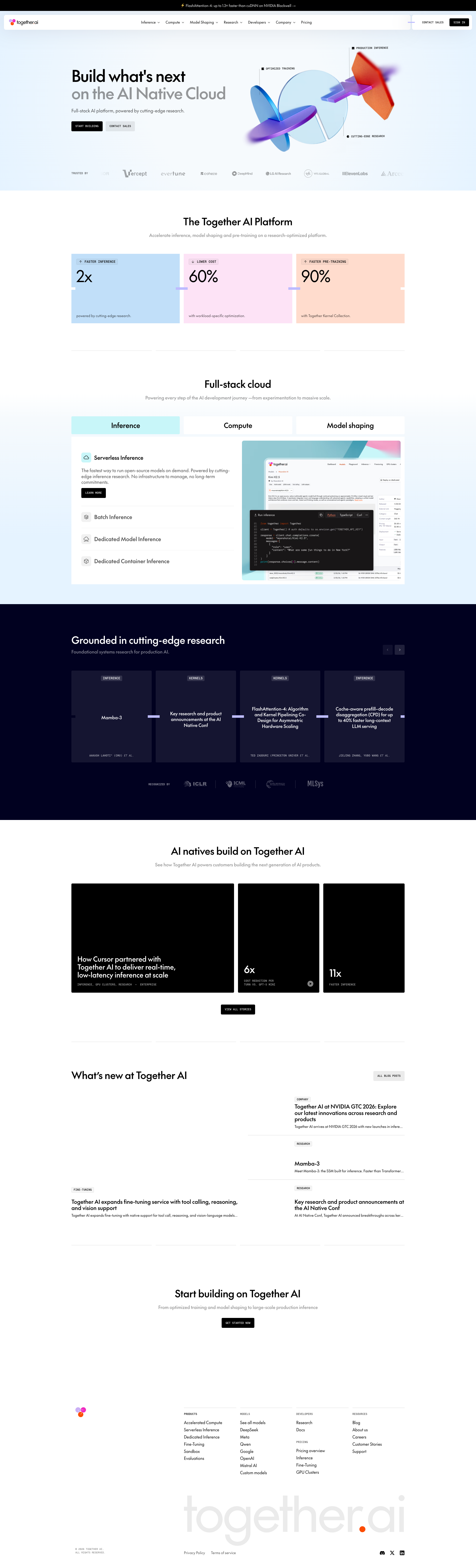
together.ai

together.ai

together.ai

together.ai

together.ai
Detected Issues · 72 total
1
Images/graphics fail to load (DNS resolution errors) causing missing visuals
CRIT P9
Prompt to Fix
The hero artwork and several section visuals are not loading due to DNS resolution failures. Ensure all external assets load reliably by fixing DNS/domain configurations, hosting assets on a stable CDN, and providing local fallbacks (SVGs or PNGs). Implement placeholder visuals during loading to avoid empty spaces.
Why it's a bug
Console shows ERR_NAME_NOT_RESOLVED for multiple resources, which likely means hero artwork and feature visuals are not loading. This results in blank spaces or broken visuals that reduce comprehension and trust in the product.
Why it might not be a bug
If assets are temporarily unavailable in this environment but would load in production, the issue might be transient. However, the visible absence of images in the screenshot indicates a degraded user experience right now.
Suggested Fix
Verify asset hosting and DNS configuration for all external assets. Provide reliable fallbacks (inline SVGs or static local images) and implement progressive loading with placeholders to avoid blank spaces.
Why Fix
Visuals are critical for communicating platform capabilities. Ensuring assets load reliably improves comprehension, trust, and engagement, especially in a marketing/landing page.
Route To
Frontend Engineer / Web Designer
Page
Tester
 Mia · Usability Tester
Technical Evidence
Elements:
Hero artwork image, feature tiles with colored backgrounds, device screenshotsConsole:
Failed to load resource: net::ERR_NAME_NOT_RESOLVEDNetwork:
External asset URLs for hero artwork, icons, or partner logos failing DNS resolutionPage Text:
Build what's next on the AI Native Cloud; The Together AI Platform2
Informative images missing descriptive alt text (misclassified as decorative)
CRIT P9
Prompt to Fix
Audit all <img> elements on the page. For any image that conveys information (not purely decorative), ensure an informative alt attribute is present that succinctly describes the image content and purpose. If an image is purely decorative, keep alt="" and add aria-hidden="true" or role="presentation". Remove isDecorative flags from images that are informative and add proper alt text. Follow WCAG 2.1:1.1.1 (Non-text Content) and 1.1.1 Success Criteria; use concise alt text (no boilerplate phrases) and ensure alt text does not duplicate surrounding text.
Why it's a bug
Several images appear to convey content (e.g., a banner image with 'FlashAttention' text). They currently have empty alt attributes and are marked as decorative, causing screen readers to skip important visual information and hindering comprehension for users relying on assistive technologies.
Why it might not be a bug
If all images are truly decorative and convey no informational content, empty alt attributes are appropriate. However, the visible content suggests these are informative rather than decorative.
Suggested Fix
For all informative images, provide concise, descriptive alt text that conveys the image’s purpose or content (e.g., alt="Banner: FlashAttention presentation slide"). If an image is decorative, ensure it is truly decorative (alt="" and role="presentation" or aria-hidden="true"). Audit images flagged as decorative and adjust flags accordingly.
Why Fix
Ensures screen reader users receive essential visual information, aligns with WCAG 2.1 1.1.1 (Non-text Content) and 1.4.5 (Images of Text) where applicable, and improves overall inclusivity.
Route To
Frontend/Accessibility Engineer
Page
Tester
 Alejandro · Accessibility Specialist
Technical Evidence
Console:
[WARN] HTML5 Audio pool exhausted, returning potentially locked audio object.Network:
ERR_NAME_NOT_RESOLVED3
Informative images (charts/diagrams) lack descriptive alt text
CRIT P9
Prompt to Fix
Identify all non-decorative informative images used for charts/diagrams on the page. For each image, replace the empty alt attribute with a descriptive alt text that accurately conveys the chart content (e.g., alt="Bar chart showing user engagement by quarter (Q1-Q4)"). If the content is complex, add a figure element with a caption describing the data and consider providing a long description via aria-describedby. If any image is strictly decorative, either remove it from the accessibility tree by using aria-hidden="true" or role="presentation" with an empty alt. Ensure WCAG 2.1 compliance for non-text content (1.1.1) and maintain semantic HTML structure.
Why it's a bug
The page includes multiple informative images (charts and diagrams) that currently have empty alt attributes and are marked decorative. Screen reader users cannot understand the data or meaning conveyed by these visuals, creating a significant accessibility barrier.
Why it might not be a bug
If the images are purely decorative, empty alt attributes are appropriate. However, the provided data indicates these images convey information (charts/graphs), so they should have descriptive alternatives.
Suggested Fix
Provide meaningful alt text for each informative image (for example alt text describing the chart or data). Alternatively, wrap charts in figure elements with figcaption describing the data. If any image is truly decorative, ensure it is aria-hidden or role equals presentation and alt remains empty.
Why Fix
Descriptive text alternatives are required for non-text information under WCAG 2.1 1.1.1 and 4.1.2. It enables screen reader users to access the information depicted in charts and graphs, improving comprehension and task completion.
Route To
Frontend/Accessibility Engineer
Page
Tester
Alejandro · Accessibility SpecialistTechnical Evidence
Console:
[WARN] HTML5 Audio pool exhausted, returning potentially locked audio object.\n[WARN] HTML5 Audio pool exhausted, returning potentially locked audio object.\n[ERROR] Failed to load resource: net::ERR_NAME_NOT_RESOLVED\n[ERROR] Failed to load resource: net::ERR_NAME_NOT_RESOLVED\n[ERROR] Failed to load resource: net::ERR_NAME_NOT_RESOLVEDNetwork:
net::ERR_NAME_NOT_RESOLVED