B-81%
Quality Score
7
Pages
113
Issues
7.9
Avg Confidence
7.8
Avg Priority
40 Critical53 High20 Medium

>_ Testers.AI
AI Analysis
RunPod was tested and 113 issues were detected across the site. The most critical finding was: Low color contrast and weak visual hierarchy on hero and CTAs. Issues span A11y, Content, UX, Other categories. Persona feedback rated Visual highest (8/10) and Accessibility lowest (5/10).
Qualitative Quality
RunPod
Category Avg
Best in Category
Pages Tested · 7 screenshots

Homepage

runpod.io

runpod.io

runpod.io

runpod.io
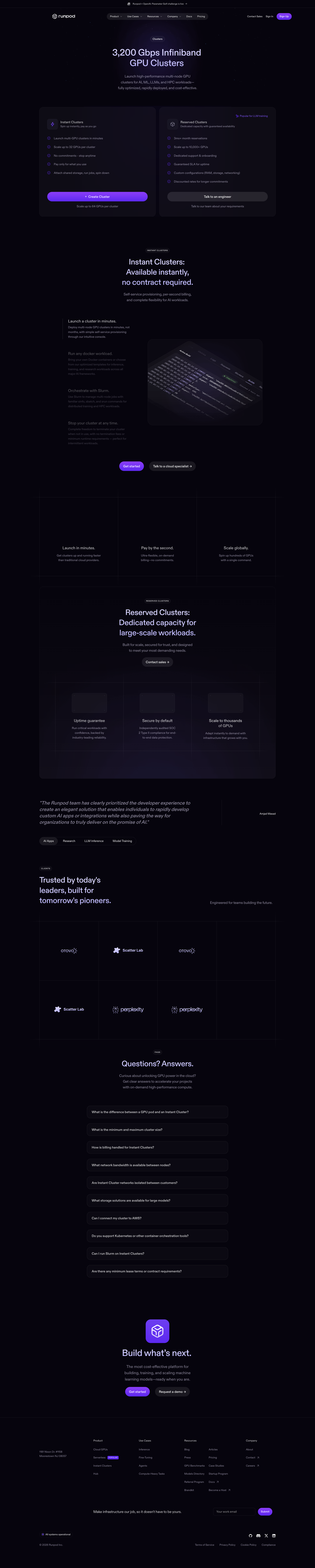
runpod.io

runpod.io
Detected Issues · 113 total
1
Low color contrast and weak visual hierarchy on hero and CTAs
CRIT P9
Prompt to Fix
The hero heading, subtitle, and primary CTA have insufficient contrast against the dark purple background, making them hard to read and the main action hard to notice. Update the color palette to meet WCAG AA: ensure body text has at least 4.5:1 contrast with background; ensure CTA button background/color yields contrast ratio >= 4.5:1 with adjacent text and >= 3:1 with the background; consider adding a subtle light/dark overlay behind hero text or using a brighter accent color for CTAs. Update CSS variables for colors used in the hero, H1/H2 headings, and CTA styles. Validate with a color contrast tool and maintain accessibility across themes.
Why it's a bug
Text and CTA buttons blend into the dark purple background, making it hard to read headings and identify primary actions for first-time users. This reduces readability, accessibility, and likelihood of users engaging with the hero section.
Why it might not be a bug
If the design intentionally uses a moody palette, readability may still suffer for some users; accessibility best practices usually require higher contrast regardless.
Suggested Fix
Increase contrast by adjusting text/button colors: set primary CTA to a color with sufficient contrast against the page background (e.g., a bright accent color with ratio >= 4.5:1 for normal text, and higher where actions are critical). Ensure heading text color stands out from the background. Consider adding a subtle overlay behind the hero text to improve readability if changing colors is not feasible.
Why Fix
Improved readability and clearer visual hierarchy will help users quickly identify the main actions and content, reducing confusion and drop-offs from the hero section.
Route To
UI/UX Designer
Page
Tester
 Mia · Usability Tester
Technical Evidence
Elements:
Hero section, heading text, subtitle text, primary and secondary CTA buttons, dark purple backgroundPage Text:
Hero headline and subtitle blend with background; primary and secondary CTAs are not clearly distinguishable.2
Email capture input lacks a visible label (Accessibility issue)
CRIT P9
Prompt to Fix
The email capture input in the hero lacks a visible label. Add a visible label 'Work email' above or beside the input and ensure the input has an associated label via 'for' attribute or an aria-label for accessibility. Keep the placeholder as a secondary hint.
Why it's a bug
The email capture field shows only a placeholder 'What’s your work email?' with no visible label. This makes the purpose of the field unclear for sighted users and is problematic for screen readers or keyboard users who rely on visible labels to understand form fields. Relying solely on placeholder text can also cause usability issues as placeholders disappear once typing begins.
Why it might not be a bug
There could be an invisible label or ARIA attributes not visible in the screenshot. If an accessible label or aria-label exists in the actual code, this would not be a bug. However, from the screenshot alone, there is no visible label.
Suggested Fix
Add a visible label above or beside the input, e.g., a label element with text 'Work email' linked to the input via id. Ensure the input also includes an aria-label as an accessibility fallback. Maintain the placeholder as a hints but not as the sole descriptor.
Why Fix
Improves accessibility and clarity, helping users understand the field immediately and ensuring compliance with accessibility best practices, which reduces task friction and abandonment.
Route To
Frontend Engineer (Accessibility / UI semantics)
Page
Tester
Mia · Usability TesterTechnical Evidence
Elements:
input element with placeholder 'What’s your work email?' and a primary CTA button 'Get Started For Free'Console:
overflow: visible warning on img, video, canvas; 403 errors for some resourcesNetwork:
Failed to load resource: the server responded with a status of 403 ()Page Text:
Large hero headline: 'AI infrastructure developers trust' and supporting copy; Email input labeled only by placeholder3
Email input lacks an associated visible label in hero CTA
CRIT P9
Prompt to Fix
In the hero section, ensure the email input has a visible label. Add <label for='work-email'>Work email</label> associated with the input via id='work-email'. If design requires placeholder text, keep it for hint but also provide a visible label. Alternatively, use aria-labelledby pointing to a visible label. Ensure the label is accessible to screen readers and that aria-required or required attribute is present if the field is mandatory. Validate with WCAG 2.1 SC 3.3.2 (Labels or Instructions) and 3.3.1 (Error Suggestion).
Why it's a bug
The email input field uses a placeholder text (What's your work email?) but has no visible label or programmatic label association. Screen readers rely on label elements to announce the purpose of a form control. Placeholder text alone is not a substitute for a label per WCAG 2.1 (SC 3.3.2).
Why it might not be a bug
If a visible label exists off-screen or a label element is present but not rendered in the screenshot, accessibility could be acceptable. However, from the visual provided, there is no visible label associated with the input field.
Suggested Fix
Add a visible label tied to the input via for attribute or use aria-labelledby pointing to a visible label. Example: <label for='work-email'>Work email</label><input id='work-email' type='email' required> Ensure the label remains visible and accessible in all states.
Why Fix
Visible labels are essential for screen reader users and for all users to understand what information is required, improving form usability and reducing submission errors.
Route To
Frontend Engineer / Accessibility Specialist
Page
Tester
 Alejandro · Accessibility Specialist