B84%
Quality Score
6
Pages
88
Issues
8.0
Avg Confidence
8.0
Avg Priority
32 Critical43 High13 Medium

>_ Testers.AI
AI Analysis
Lovable was tested and 88 issues were detected across the site. The most critical finding was: Duplicate Discover sections create cognitive load and navigation confusion. Issues span A11y, Performance, Other, UX categories. Persona feedback rated Visual highest (8/10) and Accessibility lowest (6/10).
Qualitative Quality
Lovable
Category Avg
Best in Category
Pages Tested · 6 screenshots
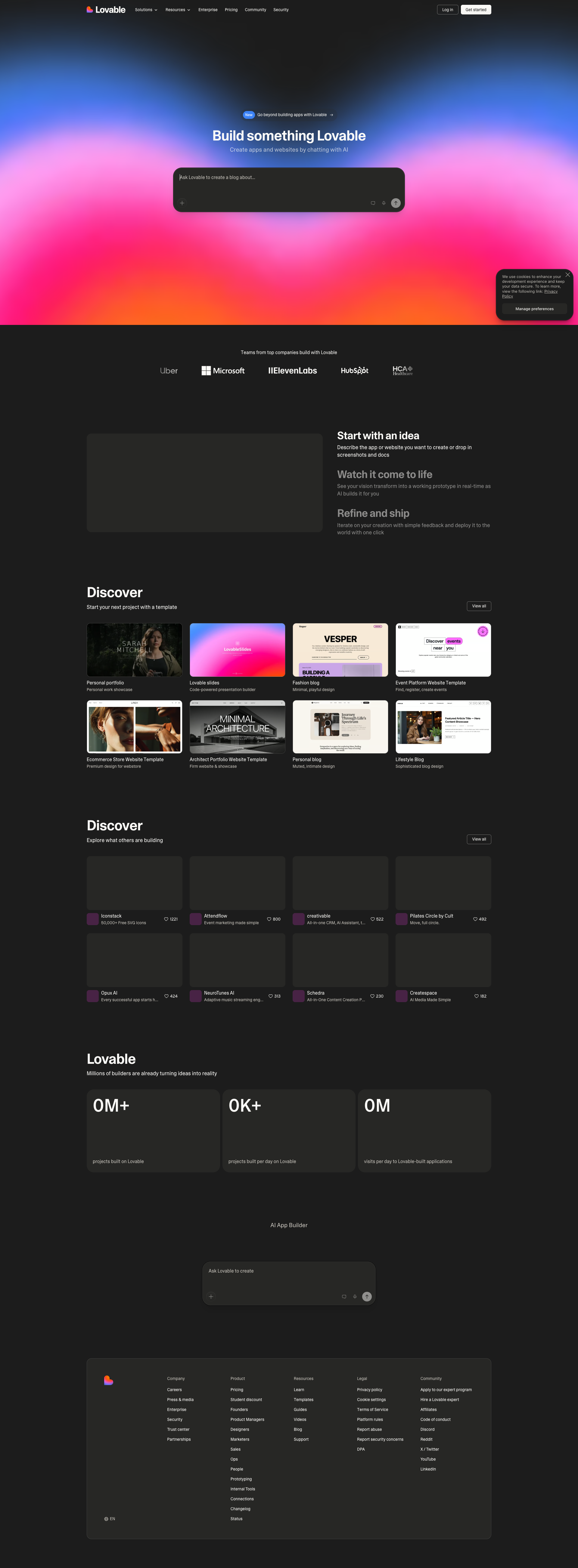
Homepage

lovable.dev

lovable.dev
lovable.dev
lovable.dev

lovable.dev
Detected Issues · 88 total
1
Duplicate Discover sections create cognitive load and navigation confusion
CRIT P9
Prompt to Fix
The page contains two sections both titled 'Discover' with similar content. Remove the duplicate header or rename the second section to a distinct purpose (e.g., 'Recommended for you') and add a brief subtitle clarifying the difference. Adjust spacing to create a clear visual hierarchy.
Why it's a bug
The page shows two sections both labeled 'Discover' with similar content. This repeating heading without clear differentiation can confuse users about the structure and priorities of content, causing users to miss or misinterpret sections.
Why it might not be a bug
Some sites intentionally duplicate sections for emphasis or varied content; however, in this design the duplication lacks clear purpose or distinction, which reduces clarity rather than aiding it.
Suggested Fix
Consolidate into a single 'Discover' section or rename the second section to a distinct, purpose-driven label (e.g., 'Recommended for you') and provide a short subtitle that explains the difference. Ensure visual separation (spacing, dividers) to reinforce the hierarchy.
Why Fix
Clear information architecture improves scannability and task success, reducing confusion when users are trying to explore content.
Route To
UX Designer
Page
Tester
 Mia · Usability Tester
Technical Evidence
Elements:
Two 'Discover' section headers, repeated content gridsPage Text:
Discover (appears twice) Disover section headings with card grids2
Non-descriptive alt text on informative images (alt values like 'Heading', 'Iconstack')
CRIT P9
Prompt to Fix
In all informative image elements in the hero and content sections, replace non-descriptive alt attributes (e.g., alt='Heading', alt='Iconstack') with descriptive alternatives like alt='Hero heading gradient with vibrant background' or alt='Stack of icons representing services'. If the image is decorative and non-informative, set alt='' and mark the element as decorative (aria-hidden or role='presentation') to ensure screen readers skip it. Ensure all informative images have meaningful alt text that conveys purpose or content per WCAG 1.1.1.
Why it's a bug
Screen readers rely on alt text to convey image content. Several informative images use non-descriptive alt values such as 'Heading', 'Iconstack', 'Attendflow', 'creativable', and 'Pilates Circle by Cult', which do not describe the content and hinder comprehension for users who rely on assistive technologies.
Why it might not be a bug
If those images are purely decorative and do not convey information, descriptive alt text is not required; however the current alt values do not clearly indicate decorative status.
Suggested Fix
Provide meaningful, concise alt text that describes the image content or function. If the image is decorative and conveys no information, set alt to an empty string and ensure the element is identified as decorative (e.g., role and/or aria-hidden).
Why Fix
Improves understandability and task success for screen reader users; aligns with WCAG 2.1 1.1.1 Non-text Content.
Route To
Frontend/Accessibility Engineer
Page
Tester
 Alejandro · Accessibility Specialist
Technical Evidence
Console:
[WARN] Failed parsing 'srcset' attribute value since it has an unknown descriptor.3
Button lacks accessible label (empty text)
CRIT P9
Prompt to Fix
Audit every button element in the header/dialog regions. For any button with no visible label, add a descriptive label. If using an icon, add aria-label or aria-labelledby with a meaningful description (e.g., aria-label="Close dialog"). Ensure the button remains focusable and that the label is announced by screen readers. Follow WCAG 2.1 sc 4.1.2 (Name, Role, Value) and 2.4.6 (Headings and Labels in Context) guidance.
Why it's a bug
A button in the page content has an empty text value and is reported as having no accessible name, which prevents screen readers from announcing its purpose and hinders keyboard users.
Why it might not be a bug
If the button were decorative/icon-only and properly hidden from assistive tech, it might be acceptable; however, the data shows an empty label with an accessible-name flag false, indicating a non-decorative control without a label.
Suggested Fix
Provide an accessible name for the button either as visible text or via aria-label/aria-labelledby. If the button is an icon, add a descriptive aria-label (e.g., aria-label="Close dialog") and ensure the element remains reachable by keyboard.
Why Fix
Ensures screen reader users understand the button's action and can activate it via keyboard, improving task success and trust.
Route To
Frontend Developer / Accessibility Specialist
Page
Tester
Alejandro · Accessibility Specialist