Dotti
App Quality Report
Powered by Testers.AI
A-92%
Quality Score
2
Pages
23
Issues
7.7
Avg Confidence
7.7
Avg Priority
5 Critical15 High3 Medium
Testers.AI
>_ Testers.AI AI Analysis

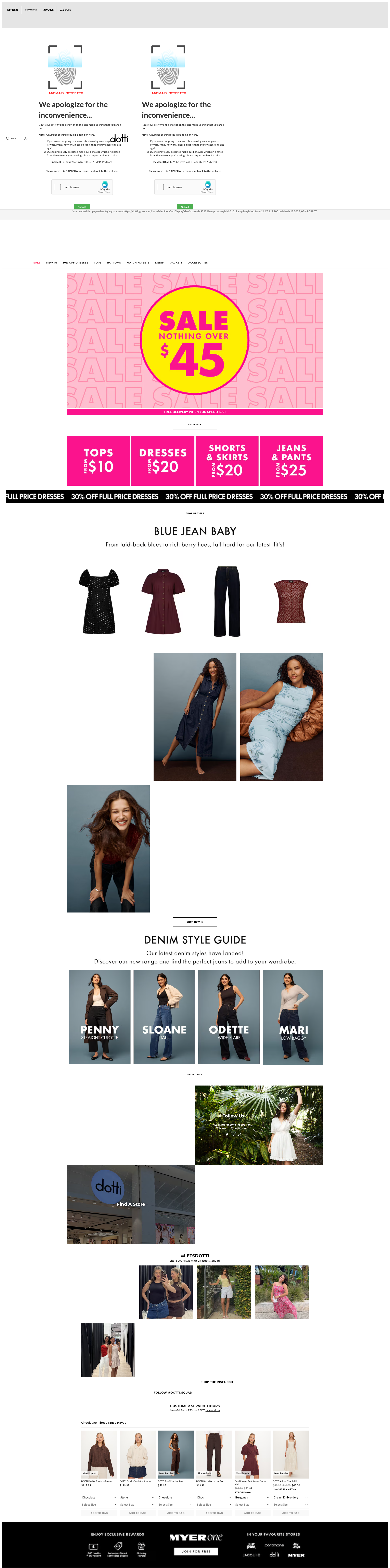
Dotti scored A- (92%) with 23 issues across 6 tested pages, ranking #1 of 14 US retail sites. That's 82 fewer than the 105.1 category average (93rd percentile).

Top issues to fix immediately: "Console errors indicate failed resource loading affecting page functio" โ€” Identify which resources are failing to load by checking the network tab in browser DevTools; "Missing alt text on informative promotional images" โ€” Replace empty alt attributes with descriptive alt text for all promotional images; "Poor color contrast on pink promotional banner with yellow text" โ€” Calculate the exact contrast ratio between the pink background and yellow/gold text using WCAG contrast checking tools.

Weakest area โ€” accessibility (5/10): Significant accessibility concerns including low contrast in some areas, lack of apparent alt text for images, and unclear head...

Quick wins: Improve visual hierarchy with clearer section titles and better spacing between content blocks. Enhance accessibility with proper ARIA labels, semantic HTML, and better color contrast ratios.
Qualitative Quality
Dotti
Category Avg
Best in Category
Issue Count by Type
A11y
6
Content
4
UX
2
Pages Tested ยท 2 screenshots
Detected Issues ยท 23 total
1
Console errors indicate failed resource loading affecting page functionality
CRIT P9
Conf 8/10 OtherContent
Prompt to Fix
Investigate and fix the failed resource loading errors. The console shows multiple '[ERROR] Failed to load resource: net::ERR_NAME_NOT_RESOLVED' messages indicating DNS resolution failures. Use browser DevTools Network tab to identify which specific resources/domains are failing to load. Check that: 1) All domain names are correctly spelled and configured, 2) DNS records are properly set up for all required domains, 3) CDN endpoints are accessible and responding, 4) Firewall/security rules aren't blocking resource requests. Once identified, either fix the domain configuration or update the page to use correct endpoint URLs.
Why it's a bug
The console shows multiple '[ERROR] Failed to load resource: net::ERR_NAME_NOT_RESOLVED' messages. This DNS resolution error indicates that critical resources (likely scripts, stylesheets, or API endpoints) are unable to be loaded because their domain names cannot be resolved. This will cause functionality and styling issues throughout the page, breaking the user experience.
Why it might not be a bug
These errors might be from third-party integrations that are optional, but the repeated nature and criticality of resource loading suggests these are essential to core functionality.
Suggested Fix
Identify which resources are failing to load by checking the network tab in browser DevTools. Verify that all domains referenced in the page are correctly configured, DNS records are properly set, and CDN endpoints are accessible. Check for typos in domain names or URL paths. Ensure that firewall/security rules aren't blocking resource loading.
Why Fix
Failed resource loading breaks critical functionality including styling, interactivity, and dynamic content. This creates a broken user experience and reduces conversion rates. It also impacts SEO and brand perception due to visibly broken pages.
Route To
DevOps Engineer / Backend Engineer
Page
Tester
Sophia ยท Content Quality Specialist
Technical Evidence
Console: [ERROR] Failed to load resource: net::ERR_NAME_NOT_RESOLVED (appears 4 times)
Network: Multiple failed DNS resolutions
2
Multiple Failed Resource Loads from Unresolved DNS Names
CRIT P9
Conf 9/10 Other
Prompt to Fix
The application is showing 4 'net::ERR_NAME_NOT_RESOLVED' errors in the console, indicating DNS lookup failures for external resources. Review all hardcoded URLs and endpoint references in the code, particularly for external JavaScript, CSS, and API calls. Implement environment-based configuration (development, staging, production) that properly resolves domain names for each environment. Add a network request interceptor that logs which specific URLs are failing. Implement fallback handlers for failed resource loads that either retry with backoff or gracefully degrade functionality.
Why it's a bug
Four identical 'net::ERR_NAME_NOT_RESOLVED' errors indicate that the application is attempting to load resources from domains that cannot be resolved. This appears to be systematic rather than transient. The pattern suggests AI-generated code may be hardcoding URLs or endpoints that don't exist, or missing environment-specific configuration for different deployment targets. This directly impacts page functionality.
Why it might not be a bug
These could be legitimate external service failures that are handled gracefully by the application, though the lack of visible error handling suggests otherwise.
Suggested Fix
Identify all four failing resource requests (the network tab shows they're happening but doesn't identify which specific URLs). Verify that all external service URLs are correctly configured for the deployment environment. Implement environment-specific configuration management. Add proper error handling and fallback logic for failed resource loads. Consider implementing a service health check mechanism.
Why Fix
DNS resolution failures prevent critical resources from loading, which can break functionality, degrade performance, or cause silent failures in dependent features. Multiple unresolved endpoints indicate a systematic configuration problem that affects user experience.
Route To
Backend / DevOps Engineer
Page
Tester
Jason ยท GenAI Code Analyzer
Technical Evidence
Console: [ERROR] Failed to load resource: net::ERR_NAME_NOT_RESOLVED (appears 4 times in console)
Network: GET https://dotti.jgl.com.au/wcsstore//ExternalJavascript/main.js - Status: N/A (also marked with โš ๏ธ AI/LLM ENDPOINT DETECTED)
3
Missing Cache Headers on Critical Assets
CRIT P9
Conf 9/10 Other
Prompt to Fix
Add Cache-Control headers to your web server configuration (Apache, Nginx, etc.) for all static assets served from dotti.jgl.com.au. For font files (.woff2), CSS files, and versioned JavaScript bundles (with ?timestamp and ?v parameters), set 'Cache-Control: public, max-age=31536000, immutable' since they use versioning for cache-busting. For unversioned images, use 'Cache-Control: public, max-age=2592000'. Ensure your server returns these headers for all 200 responses from the wcsstore, DT, MJ, and PJ asset paths.
Why it's a bug
Multiple critical resources (CSS, JavaScript, fonts, images) are served with Status 200 but lack Cache-Control headers. This forces browsers to revalidate or re-download these assets on every page visit, causing unnecessary network requests and slower repeat visits. Assets like main-dotti.css, global.css, all font files, vendor.js, store.js, widgets.js, and image files (close_normal.png, warning_icon.png) are missing cache headers, defeating browser caching mechanisms.
Why it might not be a bug
Some dynamic content may intentionally avoid caching for freshness, but static assets like fonts, vendor libraries, and images should have aggressive caching policies.
Suggested Fix
Add Cache-Control headers to all static assets: fonts should use 'public, max-age=31536000, immutable'; CSS/JS bundles should use 'public, max-age=31536000' with versioning; images should use 'public, max-age=2592000'. Implement proper versioning or fingerprinting for cache-busting when assets change.
Why Fix
Proper caching reduces repeat visit load times significantly, improves Core Web Vitals metrics, reduces server bandwidth, and improves user experience for returning visitors. Missing cache headers on fonts directly impacts Largest Contentful Paint (LCP) performance.
Route To
Backend/DevOps Engineer
Page
Tester
Tariq ยท Performance Specialist
Technical Evidence
Network: GET https://dotti.jgl.com.au/wcsstore/JustGroupAuroraFrontAssetStore/css/main-dotti.css?timestamp=2&v=2 - Status: 200 โš ๏ธ MISSING CACHE HEADERS
+20
20 more issues detected  View all →
Multiple Failed Resource Loads - DNS Resolution Errors
Missing refreshurl Configuration for Shopping Cart Widget
Sale Price Display Lacks Clear Original Price Reference
and 17 more...
Unlock All 23 Issues
You're viewing the top 3 issues for Dotti.
Sign up at Testers.AI to access the full report with all 23 detected issues, detailed fixes, and continuous monitoring.
Sign Up at Testers.AI or let us run the tests for you