Asda
App Quality Report
Powered by Testers.AI
B84%
Quality Score
6
Pages
149
Issues
7.6
Avg Confidence
7.6
Avg Priority
29 Critical91 High28 Medium1 Low
Testers.AI
>_ Testers.AI AI Analysis

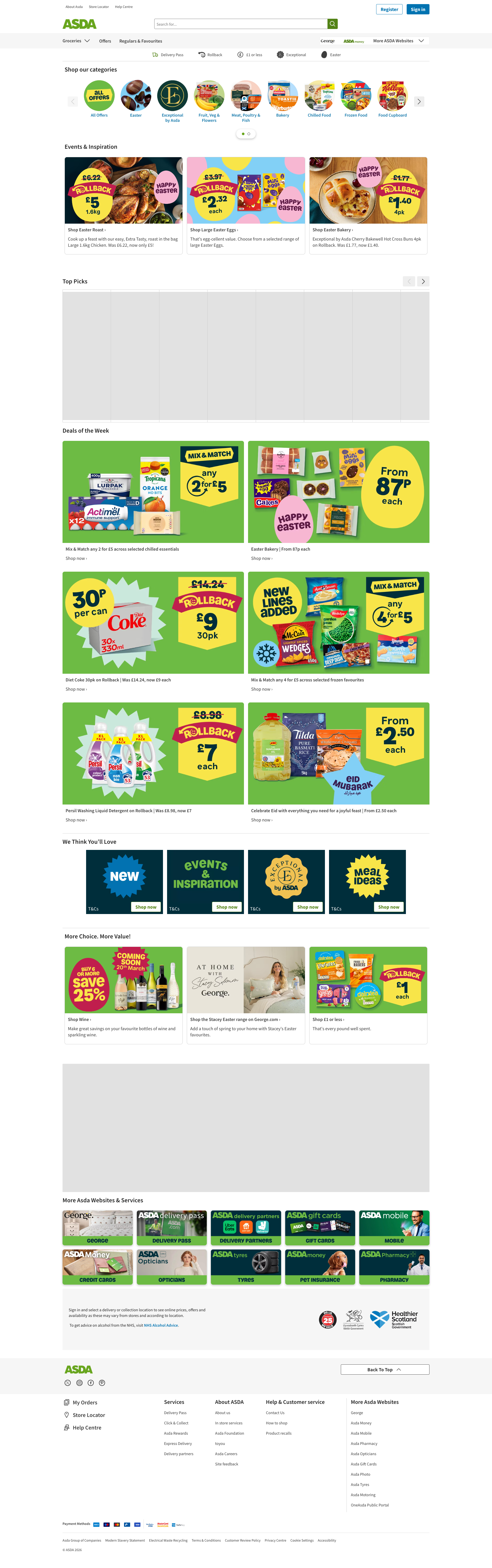
Asda scored B (84%) with 149 issues across 6 tested pages, ranking #17 of 20 UK retail sites. That's 19 more than the 130.2 category average (20th percentile).

Top issues to fix immediately: "Content Security Policy Misconfiguration - script-src 'none' with Repo" โ€” (1) Change CSP from report-only to enforcing mode (remove 'report-only'); "Content Security Policy Completely Disabled - script-src 'none' with R" โ€” 1; "Content Security Policy Misconfiguration - All Scripts Blocked Due to " โ€” Immediately audit and fix the CSP header configuration.

Weakest area โ€” accessibility (5/10): Limited visible accessibility features. Color contrast appears adequate but alt text, ARIA labels, and screen reader optimizati...

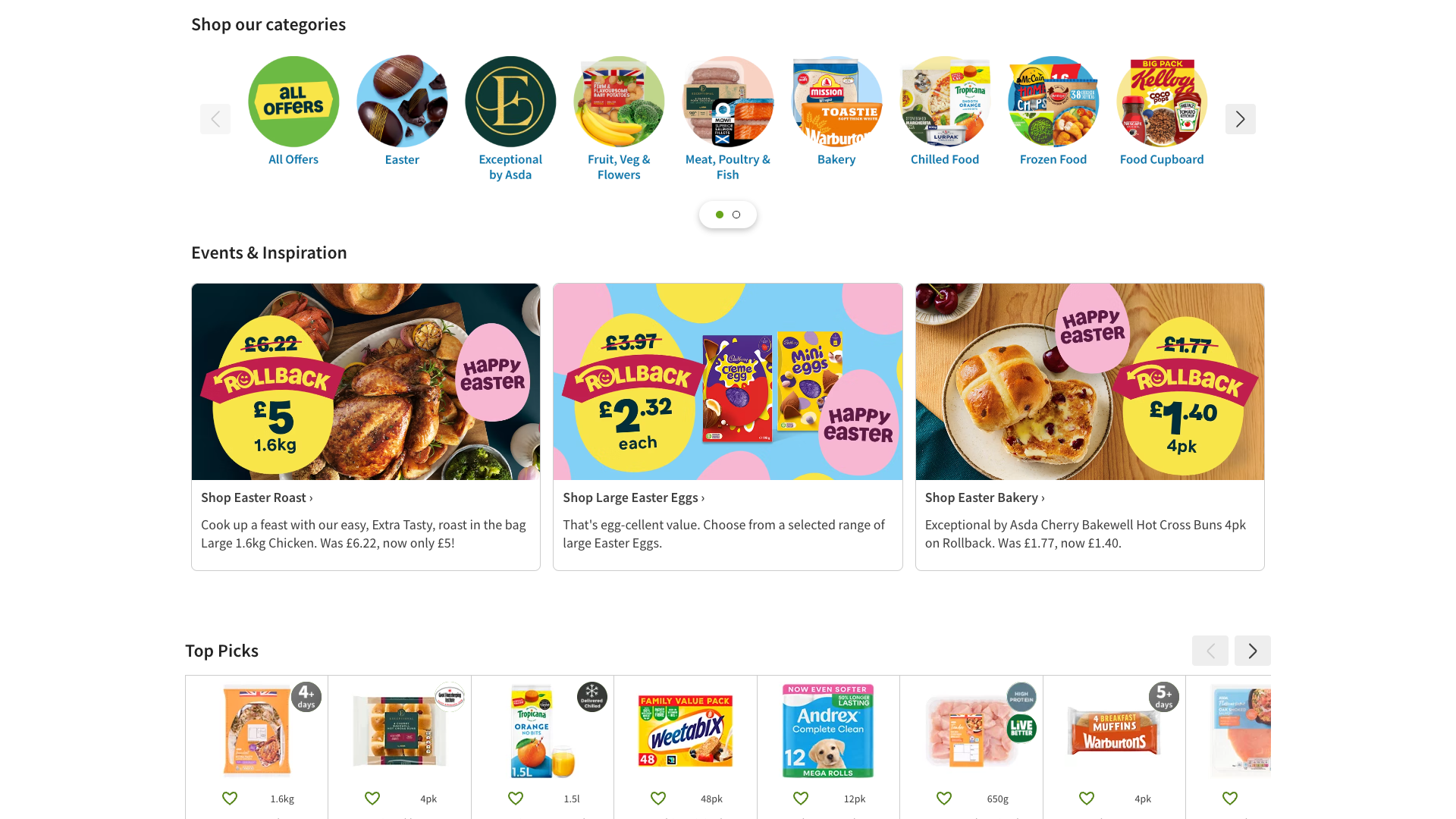
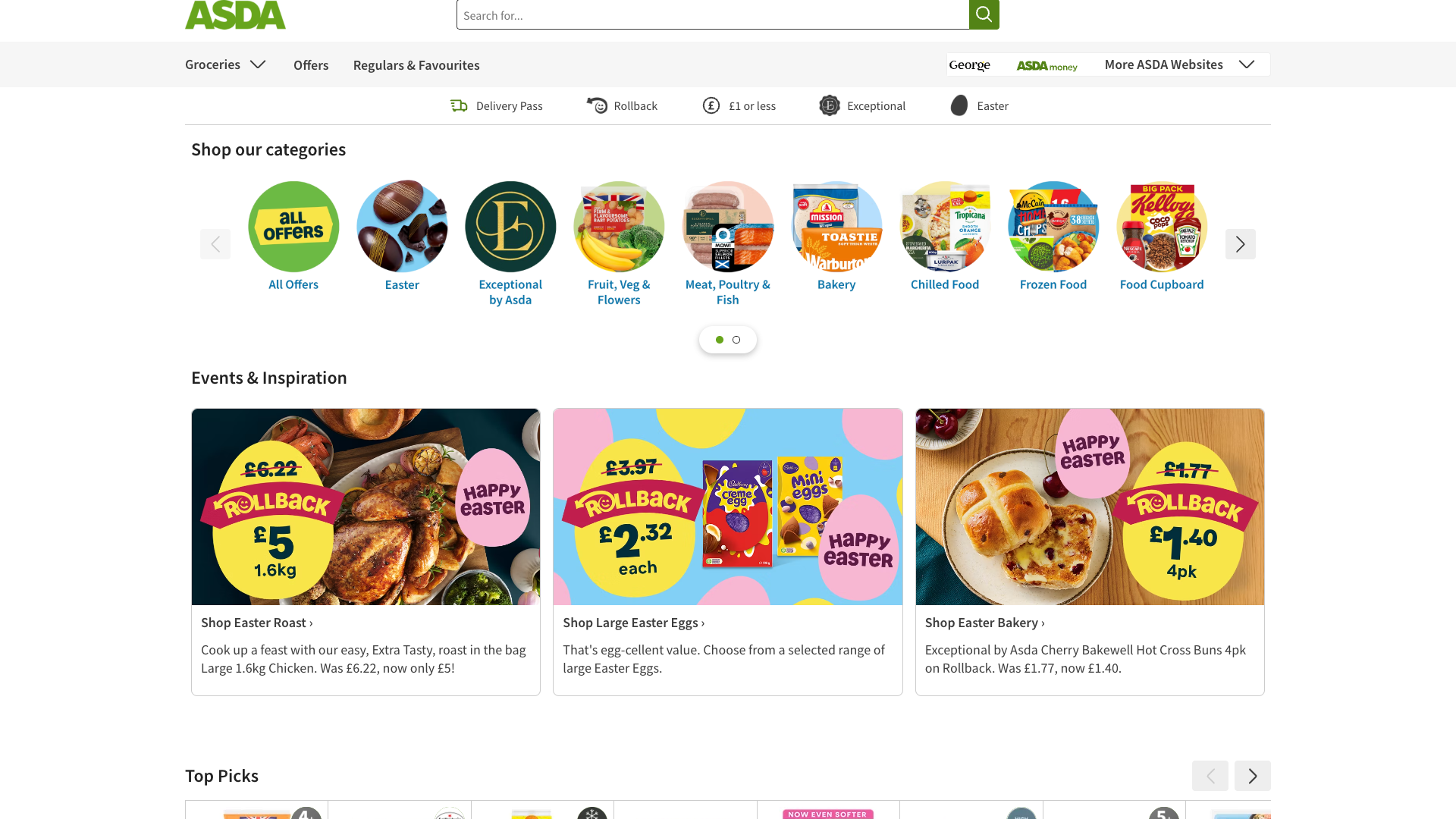
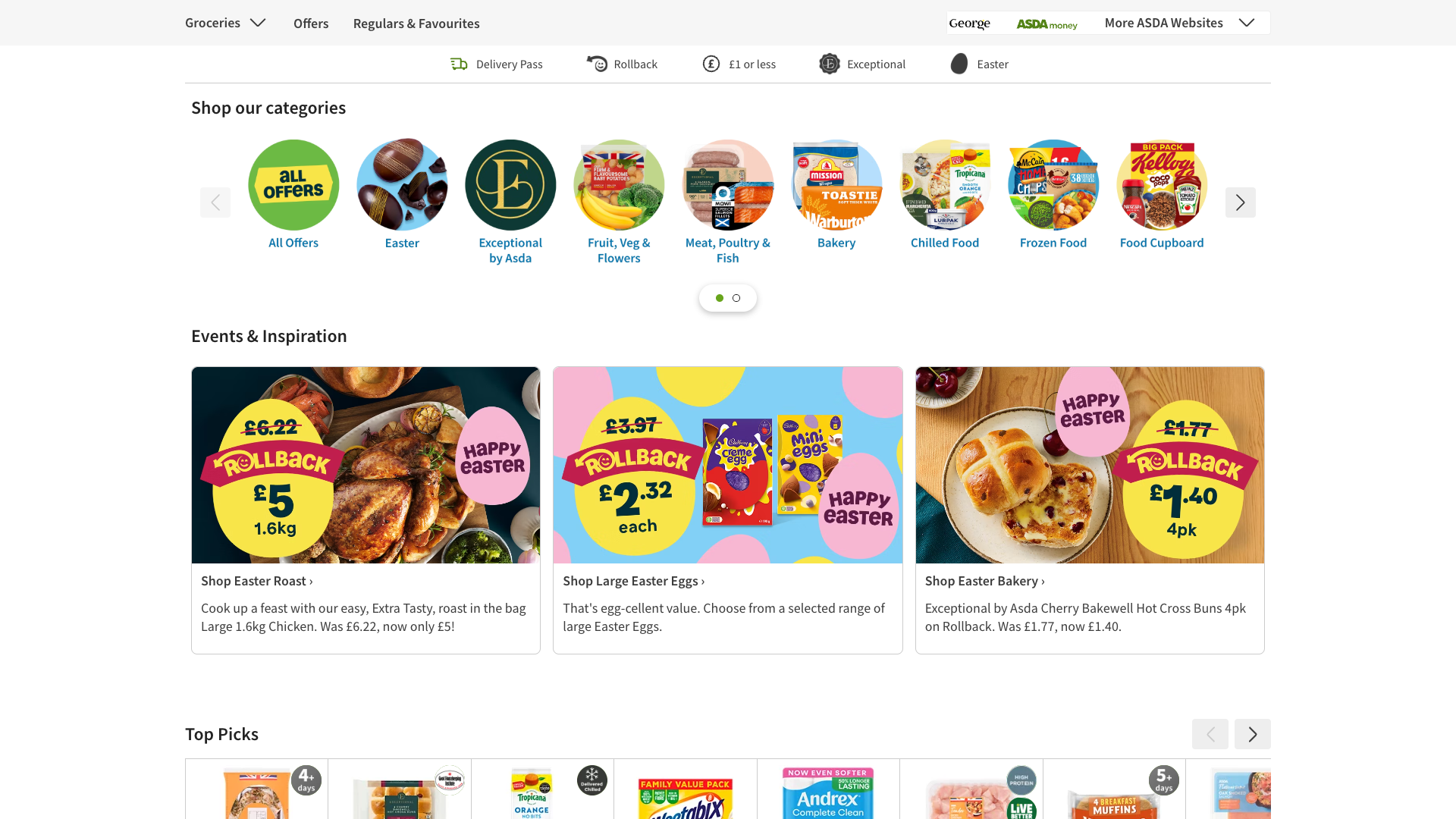
Quick wins: Enhance accessibility by implementing clear skip navigation links and ensuring ARIA labels are properly applied. Add more descriptive text to promotional banners explaining offers and benefits clearly.

Qualitative Quality
Asda
Category Avg
Best in Category
Issue Count by Type
Content
28
A11y
22
Security
22
UX
10
Visual
2
Pages Tested ยท 6 screenshots
Detected Issues ยท 149 total
1
Content Security Policy Misconfiguration - script-src 'none' with Report-Only Mode Allows All Scripts to Load
CRIT P10
Conf 9/10 OtherSecurity
Prompt to Fix
We have a critical Content Security Policy misconfiguration in production. The CSP header is set to script-src 'none' in report-only mode, which logs violations but does NOT block scripts. This means malicious scripts can still execute. We need to: (1) Switch CSP from report-only to enforcing mode, (2) Create an explicit whitelist of trusted script sources (OneTrust, Google Tag Manager, Dynamic Yield, Medallia, Adobe DTM, Cloudflare, and internal scripts), (3) Replace inline scripts with nonces or hashes, (4) Add integrity attributes (SRI) to external scripts. The CSP header should look like: Content-Security-Policy: script-src 'self' cdn-ukwest.onetrust.com www.googletagmanager.com cdn-eu.dynamicyield.com resources.digital-cloud.medallia.eu cdn-eu.dynamicyield.com assets.adobedtm.com static.cloudflareinsights.com www.asda.com 'nonce-{random}'. Please implement this fix immediately as it is blocking a critical security vulnerability.
Why it's a bug
The CSP header is configured with script-src 'none' in report-only mode, which means it logs violations but does NOT block malicious scripts. Multiple third-party scripts are loading despite CSP violations (OneTrust, Google Tag Manager, Dynamic Yield, Medallia, Adobe, Cloudflare, etc.). In report-only mode, an attacker can inject arbitrary JavaScript that will execute without being blocked. This is a critical vulnerability because: (1) Third-party scripts can be compromised and inject malware, (2) Attackers can perform XSS attacks that will not be blocked, (3) Session hijacking, credential theft, and sensitive data exfiltration become possible. The CSP is ineffective as a security control.
Why it might not be a bug
The logs indicate this is 'report-only' mode, which is sometimes used for monitoring before enforcement. However, for a production e-commerce site (Asda) handling sensitive customer data and payments, having CSP in report-only mode with script-src 'none' and then allowing all scripts is a dangerous misconfiguration that provides false security.
Suggested Fix
(1) Change CSP from report-only to enforcing mode (remove 'report-only'). (2) Define an explicit whitelist of trusted domains for script-src instead of 'none' (e.g., script-src 'self' cdn-ukwest.onetrust.com www.googletagmanager.com cdn-eu.dynamicyield.com assets.adobedtm.com static.cloudflareinsights.com). (3) Use nonces or hashes for inline scripts instead of allowing them. (4) Implement integrity checks (SRI) for external scripts. (5) Remove or audit all third-party scripts to ensure they are from trusted vendors.
Why Fix
Enforcing a strict CSP with a whitelist of trusted domains is the primary defense against XSS attacks and malicious script injection. This is critical for e-commerce platforms handling customer payment and personal data. Without proper CSP enforcement, attackers can inject keyloggers, steal cookies/tokens, intercept form submissions, or perform credential harvesting.
Route To
Security Engineer / DevOps / Platform Security Team
Page
Tester
Sharon ยท Security Console Log Analyzer
Technical Evidence
Console: [INFO] Loading the script 'https://cdn-ukwest.onetrust.com/scripttemplates/otSDKStub.js' violates the following Content Security Policy directive: "script-src 'none'". The policy is report-only, so the violation has been logged but no further action has been taken.
Network: Multiple script loading violations: OneTrust, Google Tag Manager (GTM-MJ2VMHG), Dynamic Yield, Medallia, Adobe DTM, Cloudflare Insights
2
Content Security Policy Completely Disabled - script-src 'none' with Report-Only Mode
CRIT P10
Conf 9/10 OtherSecurityContent
Prompt to Fix
A Content Security Policy is configured with 'script-src 'none'' but is running in report-only mode, which means CSP violations are logged but NOT enforced. This leaves the application vulnerable to XSS and script injection attacks. The following scripts are currently loading despite policy violations: OneTrust, Google Tag Manager, Medallia, Dynamic Yield, Adobe Launch, Cloudflare, and inline scripts. Fix this by: (1) Creating a proper CSP that allows only trusted domains with 'script-src 'self' https://cdn-ukwest.onetrust.com https://www.googletagmanager.com https://resources.digital-cloud.medallia.eu https://cdn-eu.dynamicyield.com https://assets.adobedtm.com https://static.cloudflareinsights.com' (2) Removing report-only mode and enforcing the policy via Content-Security-Policy header (not Content-Security-Policy-Report-Only) (3) Converting inline scripts to external files or adding nonces to required inline scripts (4) Testing the policy in staging before production deployment. This is a critical security issue that must be resolved immediately.
Why it's a bug
The Content Security Policy is set to 'script-src 'none'' in report-only mode, which means it logs violations but does NOT enforce them. This is a critical security misconfiguration that leaves the application completely vulnerable to XSS attacks, malicious script injection, and arbitrary code execution. The policy is supposed to prevent unauthorized scripts from loading, but report-only mode is a development/testing configuration that should never reach production. Multiple third-party scripts (Google Tag Manager, OneTrust, Medallia, Dynamic Yield, Adobe Launch, Cloudflare, etc.) are loading despite the policy violations, indicating zero actual protection. An attacker can inject malicious scripts that will execute without restriction.
Why it might not be a bug
The CSP being in report-only mode could be intentional during a migration or testing phase, but this must not be deployed to production. If this is production code, this is a severe security failure.
Suggested Fix
1. Transition CSP from report-only to enforcement mode by changing the header from 'Content-Security-Policy-Report-Only' to 'Content-Security-Policy'. 2. Update the CSP to use 'script-src 'self'' as a baseline and explicitly whitelist required domains (googleapis.com, cdn-ukwest.onetrust.com, etc.) using full domain allowlists, not wildcards. 3. Replace inline scripts with external script files or use nonces/hashes for required inline scripts. 4. Remove report-only mode entirely once the policy is properly configured and tested in a staging environment. 5. Implement Subresource Integrity (SRI) checks on all external scripts to prevent tampering.
Why Fix
CSP in enforcement mode is a critical defense against XSS and code injection attacks. Without it, attackers can steal session tokens, manipulate page content, harvest user data, perform credential theft, or redirect users to malicious sites. This is a foundational security control that must be properly implemented.
Route To
Security Engineer / DevSecOps / Frontend Security Lead
Page
Tester
Sharon ยท Security Console Log Analyzer
Technical Evidence
Console: [INFO] Loading the script 'https://cdn-ukwest.onetrust.com/scripttemplates/otSDKStub.js' violates the following Content Security Policy directive: "script-src 'none'". Note that 'script-src-elem' was not explicitly set, so 'script-src' is used as a fallback. The policy is report-only, so the violation has been logged but no further action has been taken. [INFO] Loading the script 'https://www.googletagmanager.com/gtm.js?id=GTM-MJ2VMHG' violates the following Content Security Policy directive: "script-src 'none'". [INFO] Executing inline script violates the following Content Security Policy directive 'script-src 'none''.
Network: Multiple script loading violations from external domains (OneTrust, Google Tag Manager, Medallia, Dynamic Yield, Adobe Launch, Cloudflare, etc.) all proceeding despite CSP violations.

3
Content Security Policy Violations - Critical Script Loading Failures
CRIT P9
Conf 9/10 OtherSecurity
Prompt to Fix
Our site has a critical Content Security Policy issue. The CSP directive is set to 'script-src 'none'' which is blocking all scripts including essential functionality like DynamicYield personalization. The console shows: 'Fetch API cannot load...Refused to connect because it violates the document's Content Security Policy.' Please fix the CSP configuration to: (1) Allow necessary third-party scripts by whitelisting their domains in script-src, (2) Add nonce attributes to inline scripts, or (3) Use sha256 hashes for inline script validation. Ensure the CSP allows at minimum: Google Tag Manager, DynamicYield, Adobe DTM, Medallia, and OneTrust scripts.
Why it's a bug
The page has a Content Security Policy directive 'script-src 'none'' that blocks all script execution, yet the application attempts to load 30+ external scripts and inline scripts. This is a fundamental misconfiguration where AI-generated code does not account for CSP constraints. Notably, the DynamicYield script fails with a hard CSP error: 'Fetch API cannot load...Refused to connect because it violates the document's Content Security Policy.' This is critical - the CSP is either incorrectly configured by AI code generation, or the application logic doesn't handle CSP properly.
Why it might not be a bug
The CSP is set to 'report-only' mode for many violations, so pages may still function. However, the connect-src violation for DynamicYield is a hard block preventing that feature from loading.
Suggested Fix
Review the CSP meta tag or HTTP header configuration. Either: (1) Update the CSP to allow necessary scripts with appropriate nonces or hashes rather than 'none', (2) Ensure all external scripts are whitelisted in the CSP connect-src and script-src directives, or (3) Remove the overly restrictive 'script-src 'none'' policy. Add proper nonce attributes to inline scripts. This appears to be AI-generated infrastructure code that didn't properly balance security with functionality.
Why Fix
CSP violations prevent critical functionality (analytics, personalization, tag management) from loading. The hard CSP block on DynamicYield is actively breaking the application. This is a security misconfiguration that may be intentional but is clearly not functioning as designed.
Route To
Security/DevOps Engineer
Page
Tester
Jason ยท GenAI Code Analyzer
Technical Evidence
Console: [ERROR] Fetch API cannot load https://cdn-eu.dynamicyield.com/scripts/2.80.0/dy-coll-nojq-min.js. Refused to connect because it violates the document's Content Security Policy.
Network: GET https://cdn-eu.dynamicyield.com/scripts/2.80.0/dy-coll-nojq-min.js - BLOCKED by CSP
+146
146 more issues detected  View all →
Content Security Policy Misconfiguration - script-src 'none'...
Overly Permissive Content Security Policy - Multiple Script ...
and 143 more...
Unlock All 149 Issues
You're viewing the top 3 issues for Asda.
Sign up at Testers.AI to access the full report with all 149 detected issues, detailed fixes, and continuous monitoring.
Sign Up at Testers.AI or let us run the tests for you